8
Product Information
System Unit Front Panel Controls
Storage Device Controls and Features
The Model C160/C180/C200/C240/C360 workstations allow up to two of
the following internal storage devices: CD-ROM drive, DDS tape drive, or
floppy drive. The following sections describe the controls and features of
these devices.
NOTICES: You may not have two of the same type of device. For example, you can
have a CD-ROM device and a floppy device, but not two CD-ROMs.
Due to space limitations, a DDS-format tape drive and a CD-ROM drive
cannot both be mounted in the system at the same time.
CD-ROM Drive
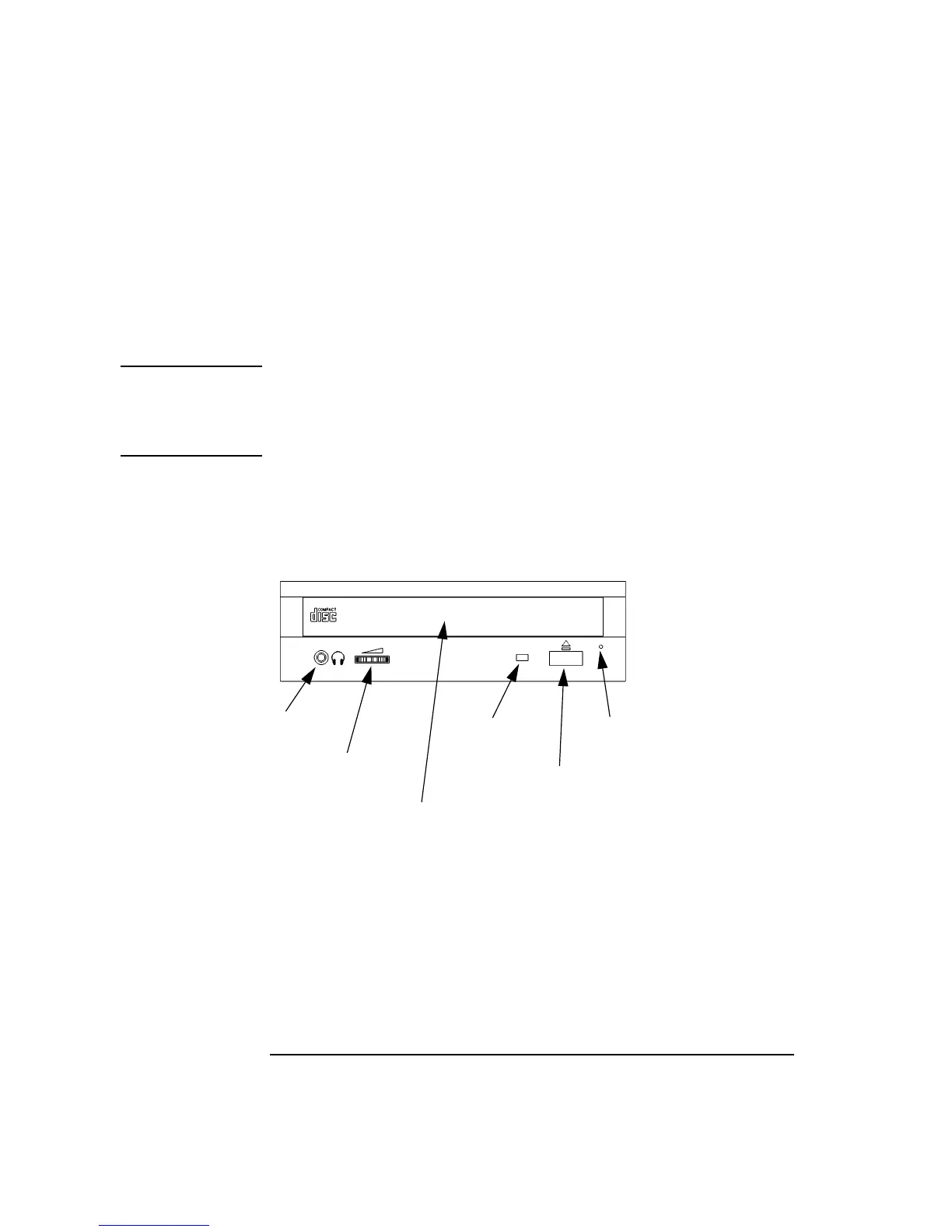
Figure 2 shows the operating controls and features of the CD-ROM drive,
and Table 1 describes them.
Figure 2 CD-ROM Drive Controls and Features
Headphone
Jack
Volume
Control
Busy
Eject
Button
Indicator
Emergency
Eject
Disk Tray



 To Next Page