130
Changing Your Workstation’s Hardware Configuration
Installing the EGRAM (Enhanced Graphics RAM) Module (C160/C180)
Installing the EGRAM (Enhanced Graphics RAM)
Module (C160/C180)
Before installing the EGRAM module, perform the procedure in Removing
the Main Tray Assembly on page 122.
Perform the following steps to add the EGRAM module to your workstation:
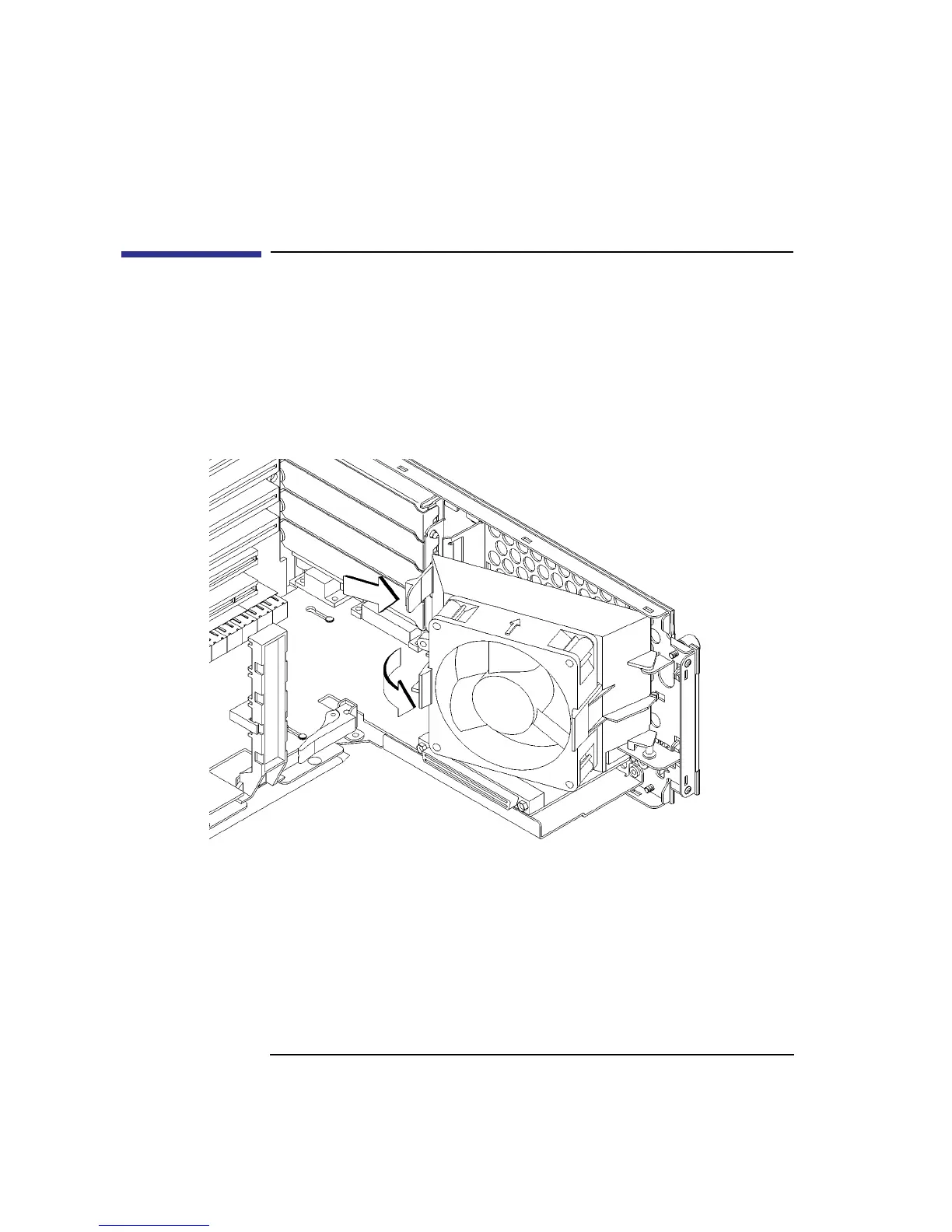
1 Press the release clip and rotate the EISA fan, as shown in Figure 42.
Figure 42 Rotating the EISA Fan



 To Next Page