131
Changing Your Workstation’s Hardware Configuration
Installing the EGRAM (Enhanced Graphics RAM) Module (C160/C180)
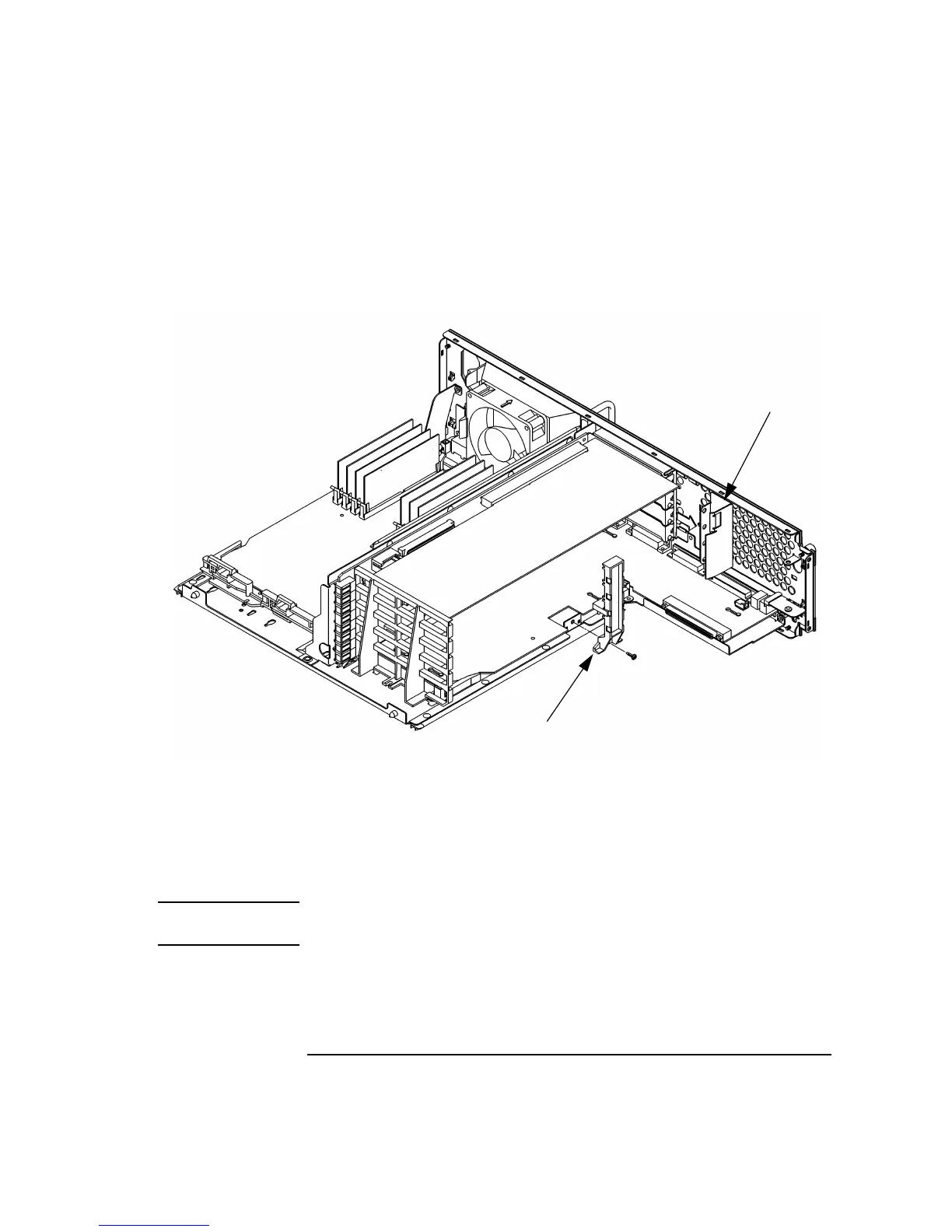
2 Slide the EISA slider to the side to remove it, as shown in Figure 43.
3 Remove the screw from the EISA retainer and remove it, as shown in Figure 43.
Figure 43 Removing the EISA Slider and Retainer
4 Grasp the option board by the edge with both hands and pull it straight out.
Remove all option boards, making note of which option slot each one was
installed in.
NOTICE All boards must be replaced in their original slots or your system may not
run properly.
EISA Slider
EISA Retainer



 To Next Page