132
Changing Your Workstation’s Hardware Configuration
Installing the EGRAM (Enhanced Graphics RAM) Module (C160/C180)
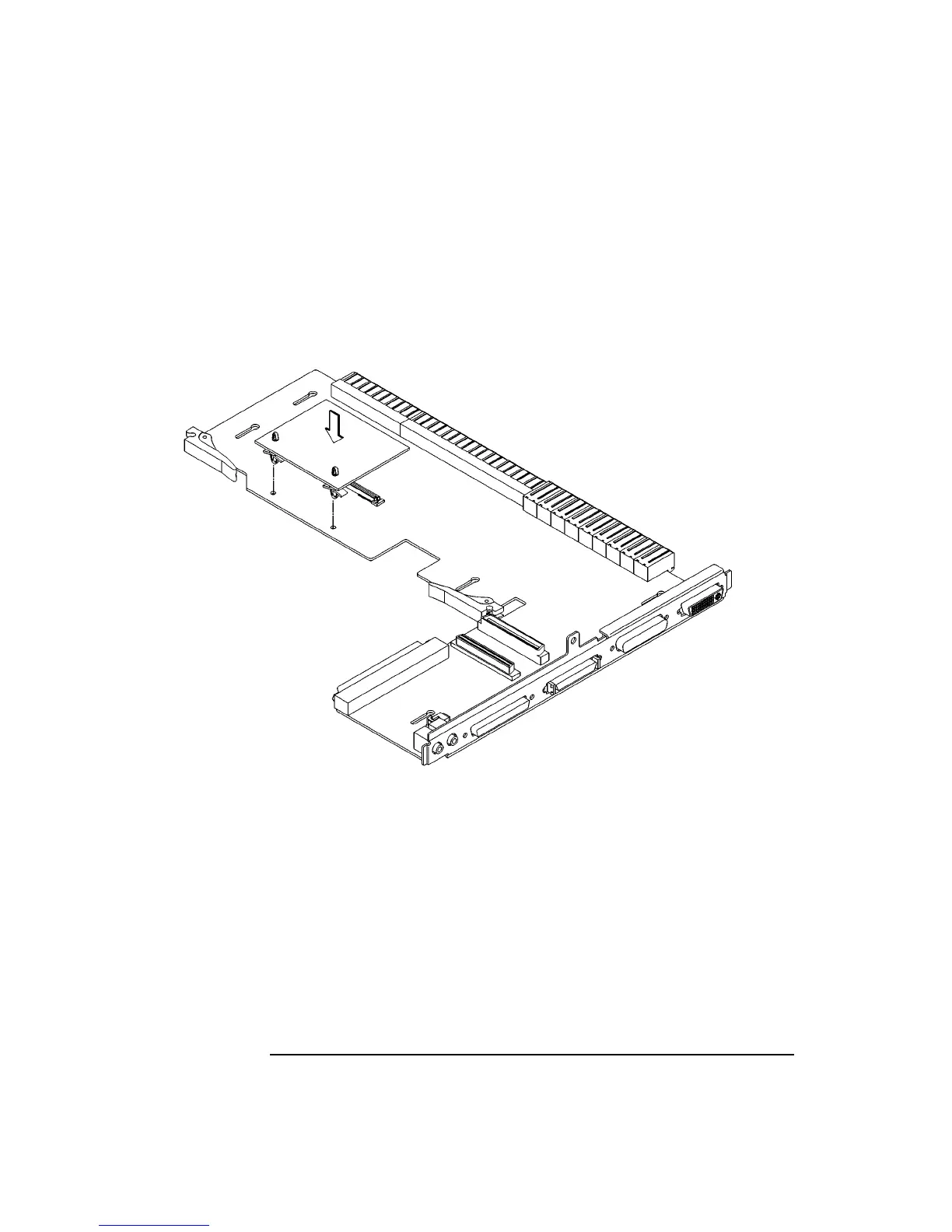
5 Install the standoffs into the EGRAM module, as shown in Figure 44. Push the
standoffs into the holes on the module until the clips fully emgage with the board.
6 Align the connector on the EGRAM module with the connector on the I/O board,
while aligning the standoffs with the holes in the I/O board. See Figure 44.
Figure 44 Installing the EGRAM Module
7 Connect the EGRAM module to the I/O board. Push down firmly on the connec-
tor area to make sure it is fully seated. Push firmly near the standoffs to make sure
that they are fully engaged with the I/O board.



 To Next Page