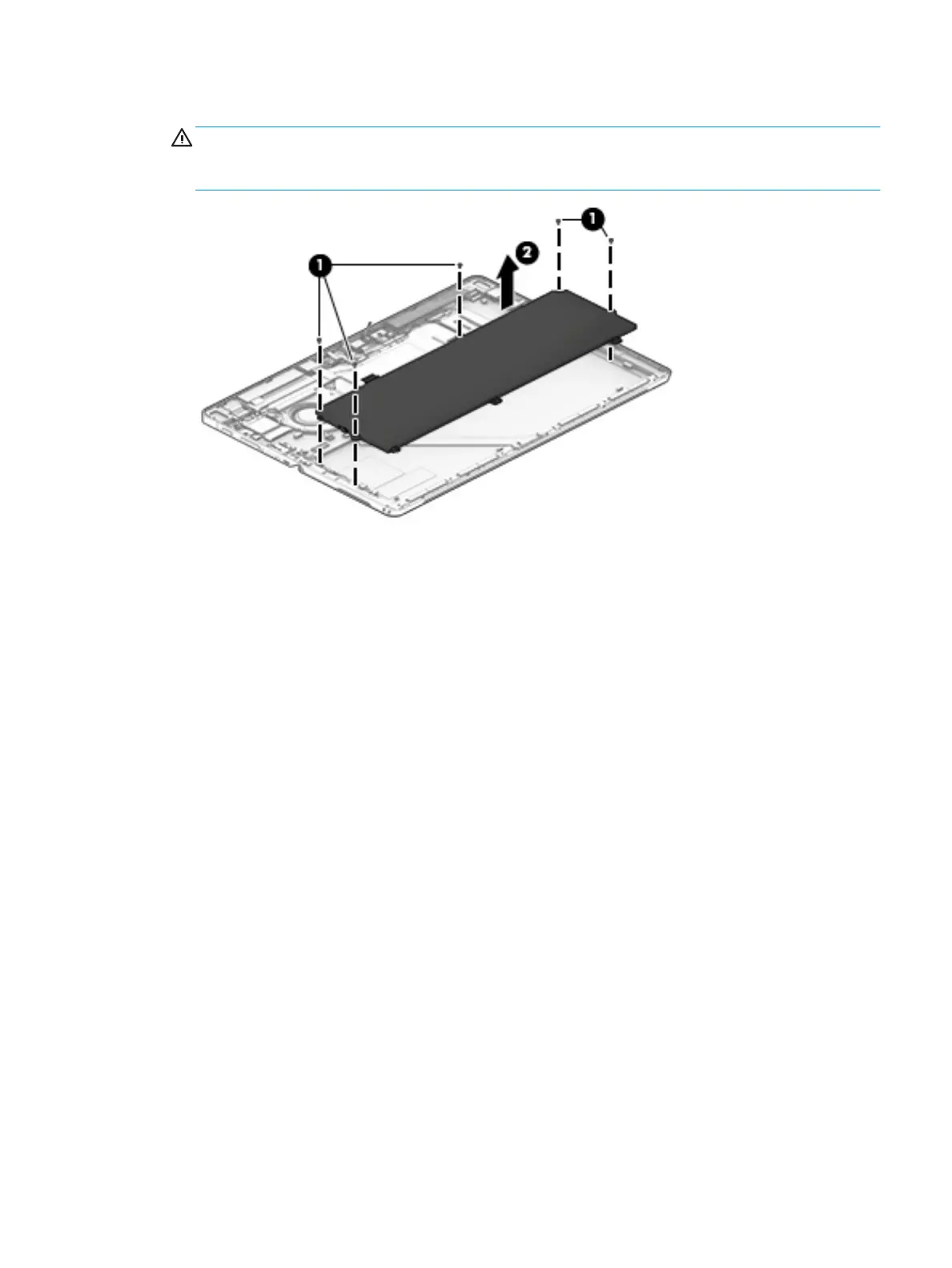
2. Remove 4 Phillips screws (1), and then carefully lift the battery (2) to remove it.
WARNING! To avoid personal injury and damage to the product, use extreme care not to puncture,
twist, or crack the battery. A puncture or rupture of the battery internally can cause a short with the
battery bursting into ames.
Reverse this procedure to replace the battery.
Component replacement procedures 33


 To Next Page
 Loading...