Hardware Reference Guide 2–21
Hardware Upgrades
6. Disconnect the audio, signal, and drive power cables. The other
end of the audio cable should remain connected to the audio
connector on the system board.
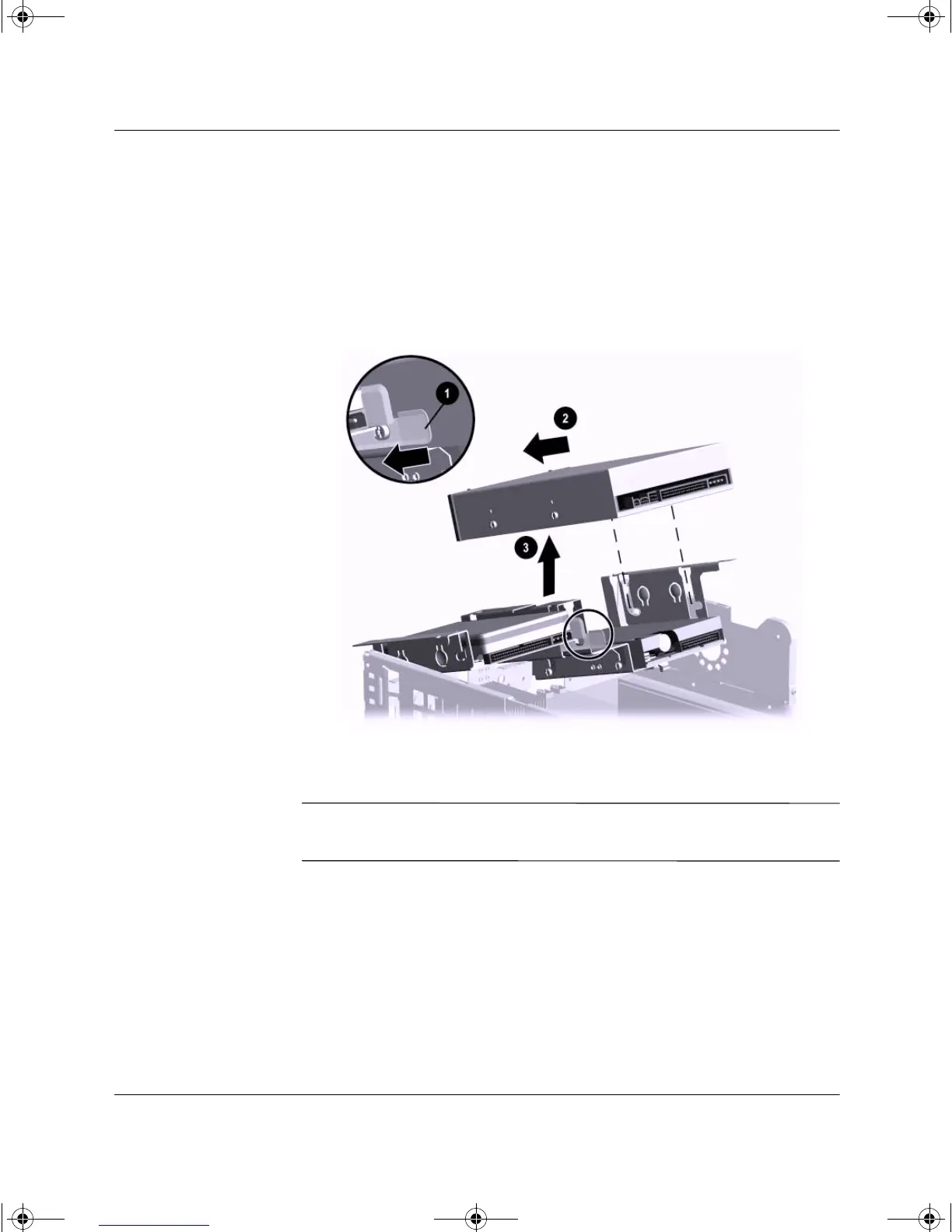
7. Pull the drive release latch away from the drive 1.
8. Slide the drive toward the front of the drive cage 2, then lift the
drive out of the computer 3.
Removing the Optical Drive
To replace the drive, reverse the removal procedures.
✎
When replacing the drive, transfer the four screws from the old drive
to the new one. The screws take the place of drive rails.
243849-003.book Page 21 Thursday, March 14, 2002 5:07 PM



 To Next Page