2–22 Hardware Reference Guide
Hardware Upgrades
Installing an Optional Optical Drive
To install an optional optical drive:
1. Remove the optical drive if present.
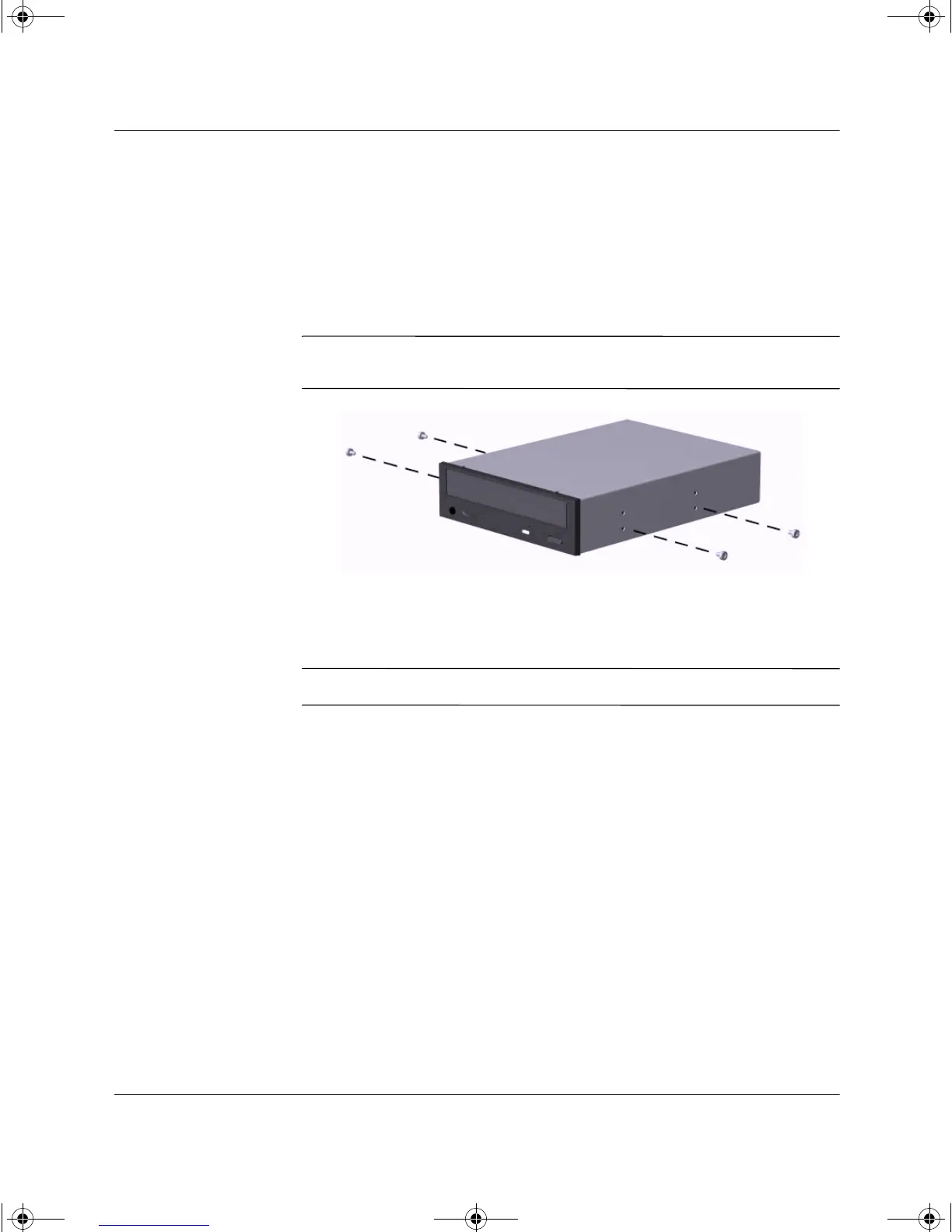
2. Install two guide screws in the lower holes on each side of the
drive.
Ä
CAUTION: Use only 3/16-inch or 5-mm long screws as guide screws.
Longer screws can damage the internal components of the drive.
Installing Guide Screws in the Optical Drive
3. Position the guide screws on the drive into the J-slots in the drive
bay. Slide the drive toward the front of the computer.
✎
Ensure that the spring-loaded locking lever properly secures the drive.
243849-003.book Page 22 Thursday, March 14, 2002 5:07 PM



 To Next Page