C–4 Hardware Reference Guide
Battery Replacement
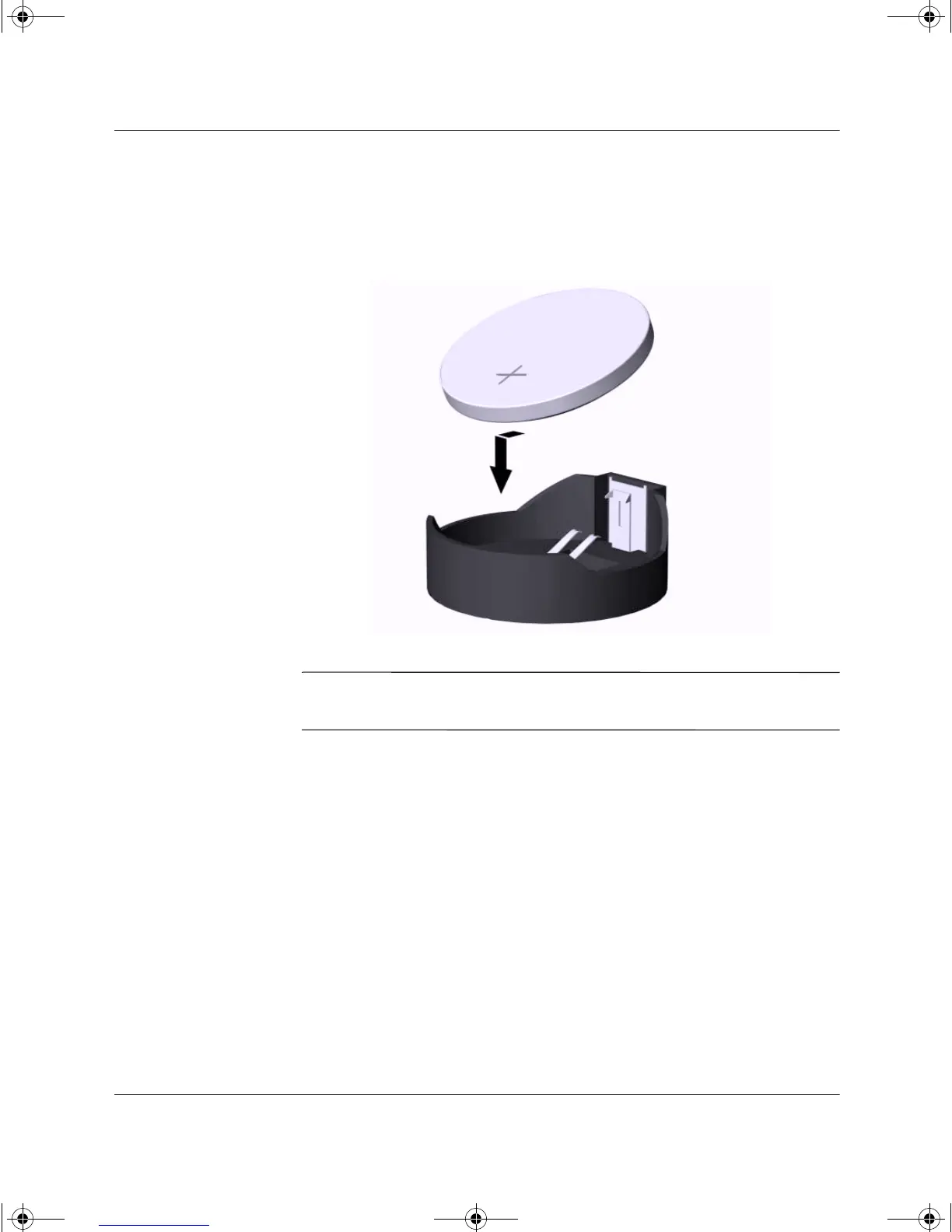
c. To insert the new battery, slide one edge of the replacement
battery under the holder’s lip with the positive side up. Push
the other edge down until the clamp snaps over the other edge
of the battery.
Replacing a Coin Cell Battery (Type 2)
✎
After the battery has been replaced, use the following steps to
complete this procedure.
5. Replace the computer cover or access panel.
6. Plug in the computer and turn on power to the computer.
7. Reset the date and time, your passwords, and any special system
setups, using Compaq Computer Setup. Refer to the Computer
Setup (F10) Utility Guide.
If you normally lock the Smart Cover Lock, use Computer Setup
to relock the lock and enable the Smart Cover Sensor.
243849-003.book Page 4 Thursday, March 14, 2002 5:07 PM



 To Next Page