9
2.2 Installing in Vehicles
2.2.1 Mount to Windshield
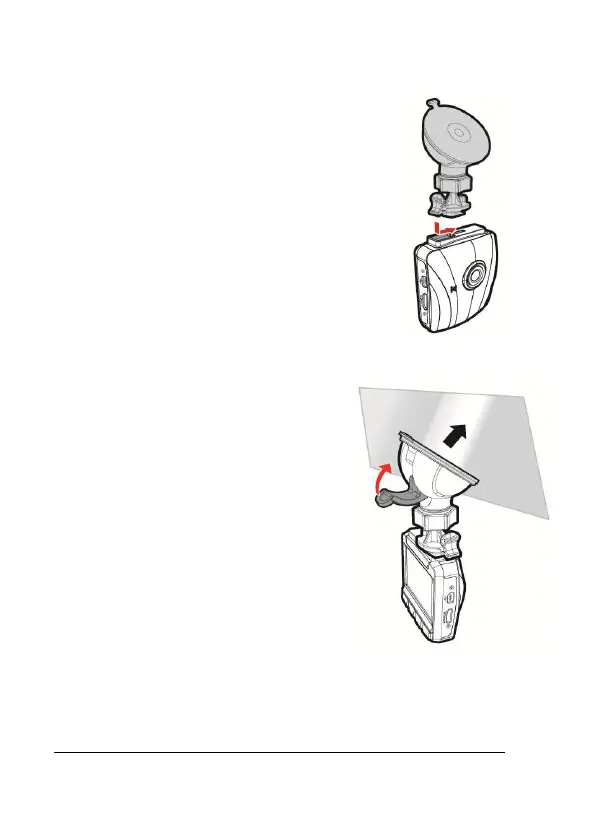
1. Attach the bracket to the camcorder.
Slide it into the bracket holder until you
hear a click.
2. Before installing the bracket, please
use alcohol to clean the windshield
and suction cup of the bracket. Wait
for dry and press suction-cup on the
windshield.
3. Hold the base firmly on the
windshield and press down the clamp
to mount the car holder to the
windshield. Make sure the base is
securely locked in place.
Warning: Do not install the camcorder on a tinted window. Doing so may
damage the tint film.



 To Next Page