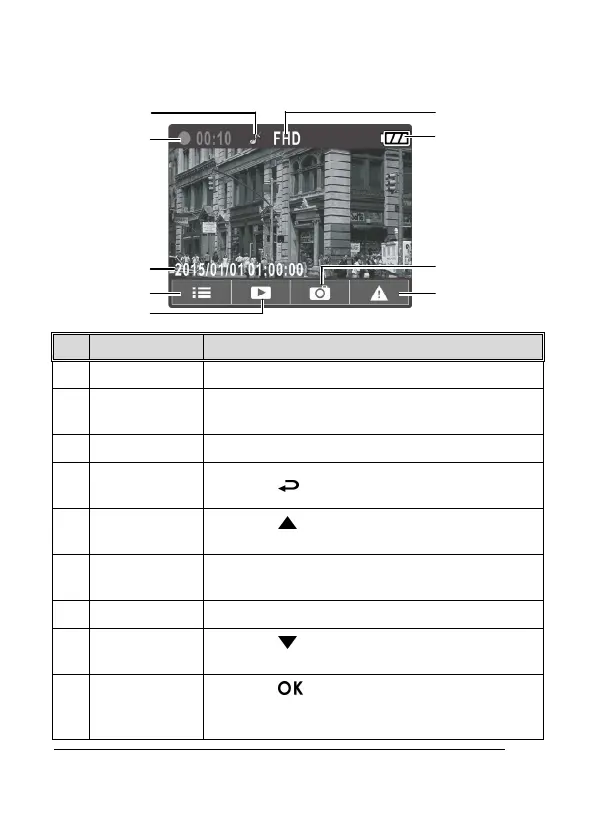
3.1.3 The Recording Screen
7
1
Voice Record
Indicates turn off voice record
2 Duration
Indicates the recording duration of the current
video file.
3 Date and time
Indicates the current recording date and time.
4
Guide icon
(Menu)
Press the button to enter the OSD menu.
5
Guide icon
(Playback)
Press the button to switch to Playback
mode.
6 Resolution
FHD - 1080p (1920 x 1080)
HD - 720p (1280 x 720)
7 Battery Indicates the remaining battery power.
8
Guide icon
(Snapshot)
Press the button to take a snapshot during
recording
9
Guide icon
(Emergency)
Press the button to enter and initiate
emergency recording, and the recorded file will be
protected.



 To Next Page