19
3.2.2 Deleting Files
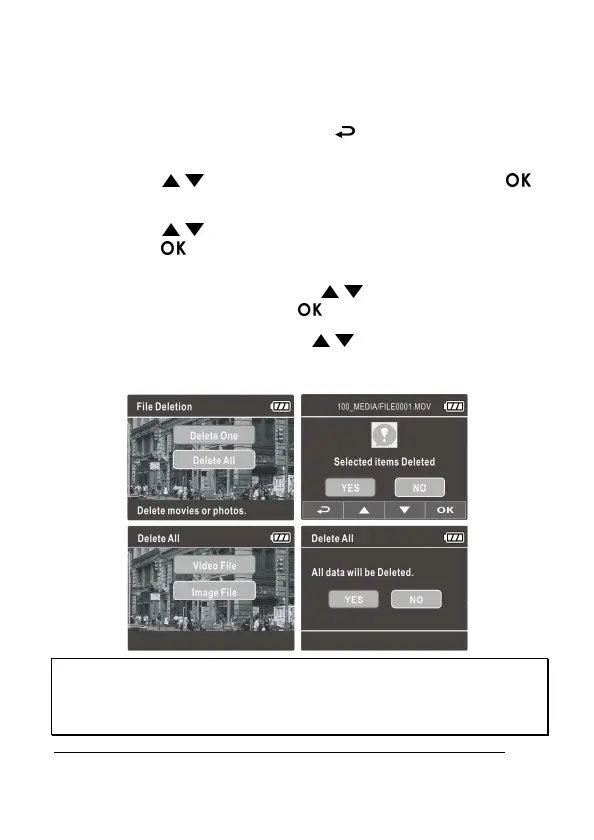
To delete file(s), do the following:
1. If recording is in progress, press the button to enter the OSD
menu.
2. Press the / button to select File Deletion and press the
button.
3. Press the / button to select Delete One or Delete All, then
press the button.
4. After select Delete One, press the / button to select that you
want to delete, then press the button.
5. After select Delete All, press the / button to select Video File
or Image File that you want to delete, then select YES or NO to
delete.
Note:
1. Deleted files CANNOT be recovered. Ensure the files have backup before deletion.
2. Emergency files cannot be deleted from this operation. They can be deleted by inserting memory
card into your PC or format memory card.



 To Next Page