8
2 Getting Started
2.1 Inserting the Memory Card
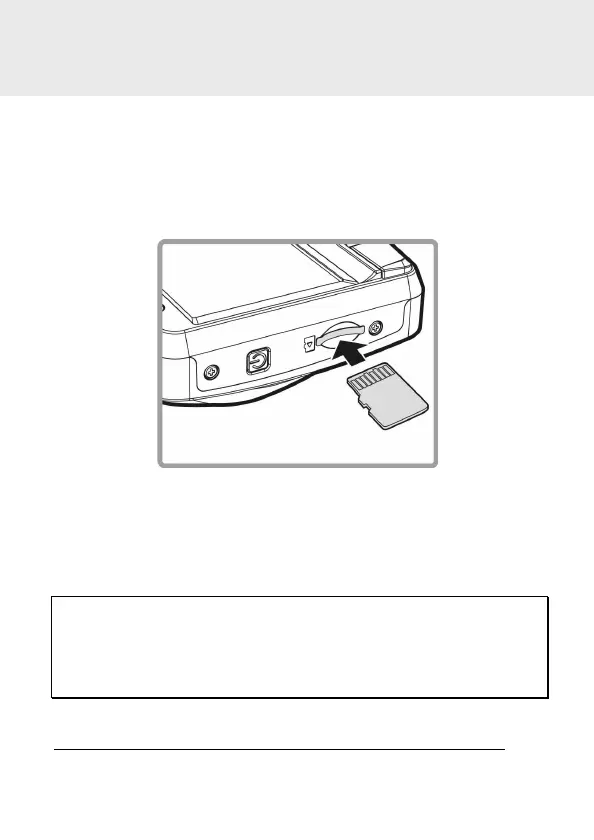
Insert the memory card with the gold contacts facing the back of the
camcorder. Push the memory card until it clicks into place. (Use class 6 or
above the micro SD cards for this camcorder; It is recommended to
format the micro SD cards before the initial use.)
To remove the memory card
Push the edge of the memory card inward until you hear/feel it click,
then allow it to push out until you can remove it from the slot.
Note:
1. Do not remove or insert the memory card when the camcorder is powered on. This may damage
the memory card.
2. It is recommended to use a 32 GB, Class 6 speed
or above micro SD card.
3. It is recommended to format the micro SD cards before the initial use.



 To Next Page