● When using HP Indigo ElectroInk Silver, it is highly recommended to carefully test jobs before first
time production, including labeling or lamination (in flexible packaging).
● Results depend mainly on the design of the artwork. The background is likely to be more visible in
jobs where there is a large exposed substrate as part of the design.
● It is very important to calibrate the ink accurately. Make sure that the calibration can is emptied all
the way.
● Silver separations are usually defined last (except for white, and depending on the graphics and
required effect).
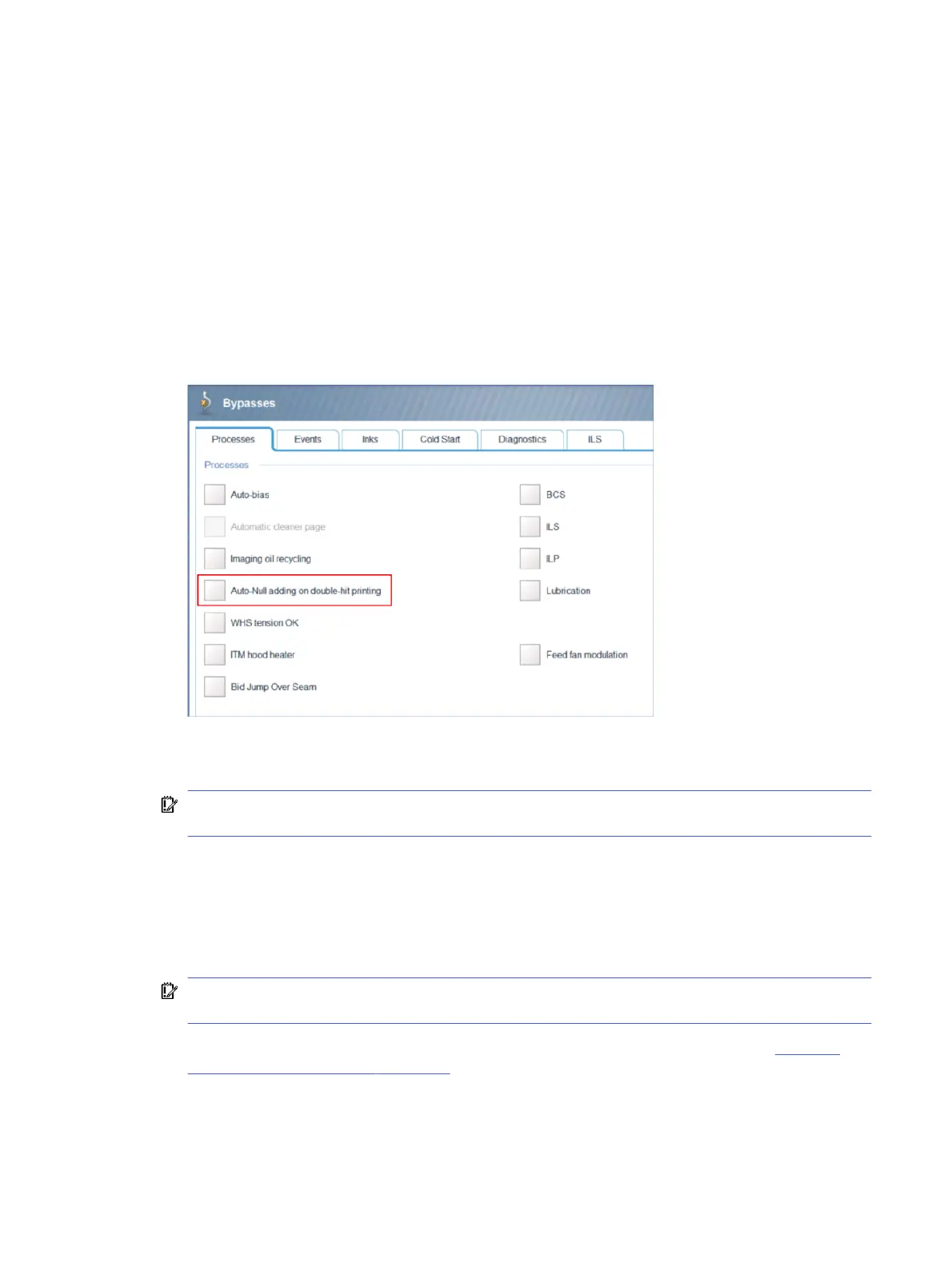
● Add a null cycle between silver separations to avoid BID bounce at the leading edge. Add a null by
clearing the bypass for Auto-Null adding on double-hit printing in the Print Care (CE level) >
Bypasses
> Processes
screen.
● When printing with Silver, a low background appearance is possible. A specific calibration is
available to eliminate the double appearance of background in frame-overlap areas.
IMPORTANT: Overlap prevention will not work if there is no null, and it is more likely to suffer for
BID bounce issues.
● It is recommended to use HP Indigo ElectroInk Silver with 2 hits in order to reach the OD (optical
density) targets and best metallic appearance. The optimized color working point is based on 2 hits
of ElectroInk Silver. Calibrations are performed on 2 hits of ElectroInk Silver.
● HP Indigo ElectroInk Silver is visually stable, therefore it is not necessary / not recommended to
perform Full Color Calibration (FCC).
IMPORTANT: When performing Full Color Calibration without silver, run the
Auto Bias Wizard
following every color calibration (important for ElectroInk Silver).
● It is recommended to disable the automatic color calibration feature, as described in Disabling
automatic color calibration on page 11.
Performance and recommendations
3



 To Next Page