EasyManua.ls Logo

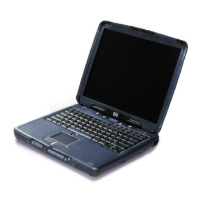
HP OmniBook 5500 - User Manual

HP OmniBook 5500
43 pages
Print Icon
To Next Page IconTo Next Page
Loading...
This guide is for experienced HP Response Center
personnel, CEs, and reseller technicians. That is,
personnel that have already completed the HP Vectra
PC family training course, or equivalent, and have at
least six months of experience servicing the HP Vectra
PCs.
It is a self-paced training guide designed to train you to
install configure, and repair the OmniBook Notebook
PC. You can follow it without having any equipment
available.
Microsoft, MS, and MS-DOS are registered trademarks
and Windows is a trademark of Microsoft Corporation.
LapLink Remote Access is a trademark of Traveling
Software, Inc. System Soft is a registered trademark
and CardView, CardSoft, and CardID are trademarks
of SystemSoft Corporation.
1
HP OmniBook 5500CS/CT
Familiarization Guide
Click on this frame to insert a graphic in this area.


Questions and Answers

  • I
    Ian PotterAug 10, 2025
    What to do if my HP OmniBook 5500 has a keyboard controller failure?
    • J
      Javier MorganAug 11, 2025
      If you experience a keyboard controller failure on your HP Laptop, check if the keyboard controller is properly installed. If the problem continues, replace the controller.
  • B
    Beth SmithAug 16, 2025
    What to do if the hard disk controller failed to respond to the reset command on my HP OmniBook 5500 Laptop?
    • L
      Linda GonzalezAug 16, 2025
      If the HP Laptop's hard disk controller fails to respond to the reset command, first check the drive parameters. Then, power down the system and check all connections. If the problem continues, replacing the hard disk controller may be necessary.
  • A
    Angela HornAug 22, 2025
    What to do if my HP OmniBook 5500 says no bootable floppy drive 0 installed?
    • K
      Katie WilsonAug 22, 2025
      If your HP Laptop displays 'No bootable floppy drive 0 installed', power down the system and check all cable connections. If no floppy drive is installed, run the System Configuration Utility and ensure the diskette drive configuration is set to 'None'. If a drive is installed, consider replacing it.
  • W
    Wyatt KlineAug 28, 2025
    What to do if the floppy controller failed to respond to the reset command on my HP OmniBook 5500 Laptop?
    • Y
      ycoxAug 29, 2025
      If the floppy controller on your HP Laptop fails to respond to the reset command, power down the system and check all connections. If the issue persists, you might need to replace the floppy controller.
  • M
    Marcus SmithSep 4, 2025
    What to do if my HP OmniBook 5500 Laptop floppy drive cannot read track 0 of the floppy disk?
    • J
      James RobinsonSep 4, 2025
      If your HP Laptop's floppy drive cannot read track 0 of the floppy disk, try using another diskette. If the problem persists, you may need to replace the floppy drive.

HP OmniBook 5500 Specifications

General IconGeneral
BrandHP
ModelOmniBook 5500
CategoryLaptop
LanguageEnglish

Related product manuals