3-12
Getting Started With Access Point Configuration
Using the IP Address for Remote Access Point Management
The administration Web browser must have JavaScript enabled to support the
interactive features of the administration interface. It must also support HTTP
uploads to use the firmware upgrade feature.
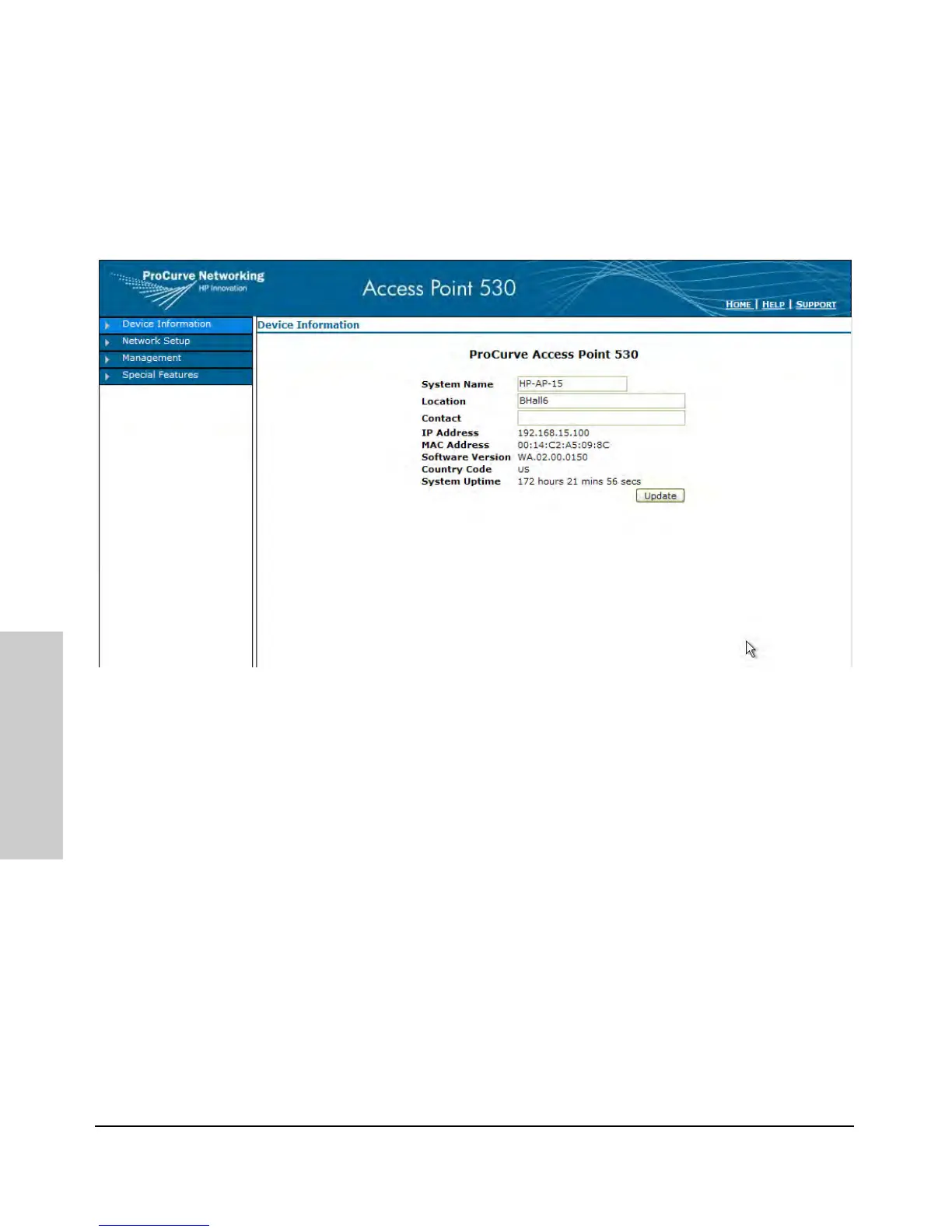
A typical Web browser interface screen is shown in the next illustration.
For more information on using the Web browser interface, please see the
Management and Configuration Guide.
A help system is also available for the Web browser interface. Click the HELP
link in the upper-right corner of the screen.


 To Next Page
 Loading...