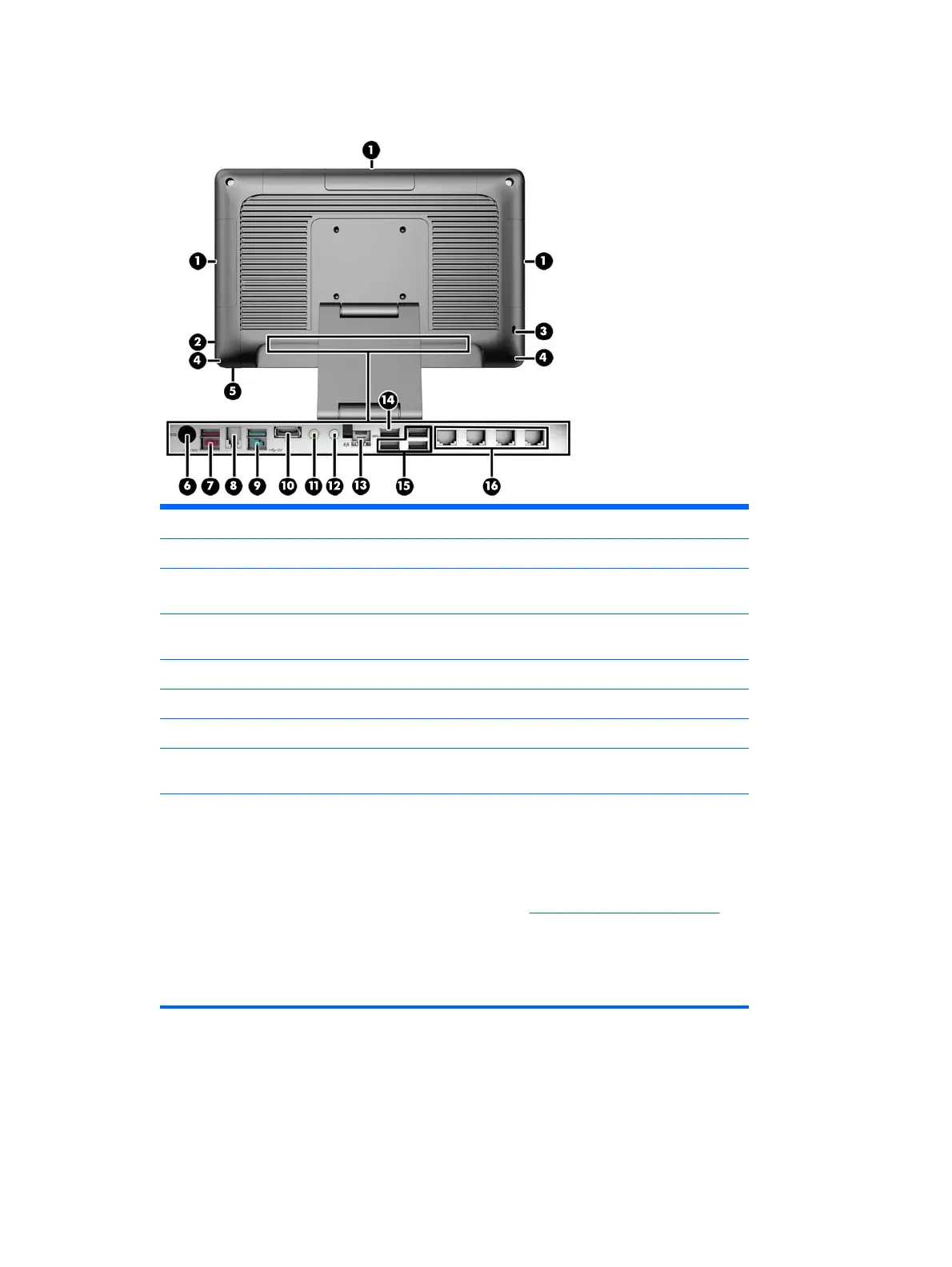
Rear components
1 Optional HP Integrated USB Peripheral Modules 9 Powered USB 12V
2 Hard Drive Activity Light 10 DisplayPort (for a secondary display)
3 Security Lock Slot 11 Headset / Line-Out Connector for powered
audio devices (green)
4 Integrated Speakers 12 Microphone / Line-in Audio Connector
(blue)
5 Power Button 13 RJ-45 Network Connector
6 DC In Power Connector 14 USB 3.0 Port
7 Powered USB 24V 15 USB 2.0 Ports (3)
8 Cash Drawer Connector 16 RJ-50 Serial Ports (Power Configurable 5V/
12V) (4)
NOTE: The 24-volt Powered USB connector and the 12-volt Powered USB connector are keyed differently
as a precaution to prevent connection errors.
NOTE: The system ships with a set of plastic plugs that can be inserted into unused ports to help protect
the system.
NOTE: The RP2 is shipped with the RJ-50 Serial Ports' power disabled. Enable power for each port within
the HP BIOS. RJ-50 to DB9 cables are available from HP. Also refer to
Connecting a serial device on page 4.
NOTE: An optional DisplayPort to VGA adapter cable is available from HP.
CAUTION: The cash drawer connector is similar in size and shape to a modem jack. To avoid damage to the
computer or external devices, DO NOT plug a network cable into the cash drawer connector or the RJ-50
serial port connectors.
Rear components 3



 To Next Page