Antennas and transceivers
The wireless antennas connect from the WLAN module to transceivers at the top of the computer. Each
transceiver is secured with one screw and sits atop a removable bracket.
1. Prepare the computer for disassembly (
Preparation for disassembly on page 19).
2. Remove the front panel (
Front panel on page 31).
3. Remove the top USB assembly (
USB port assembly on page 44).
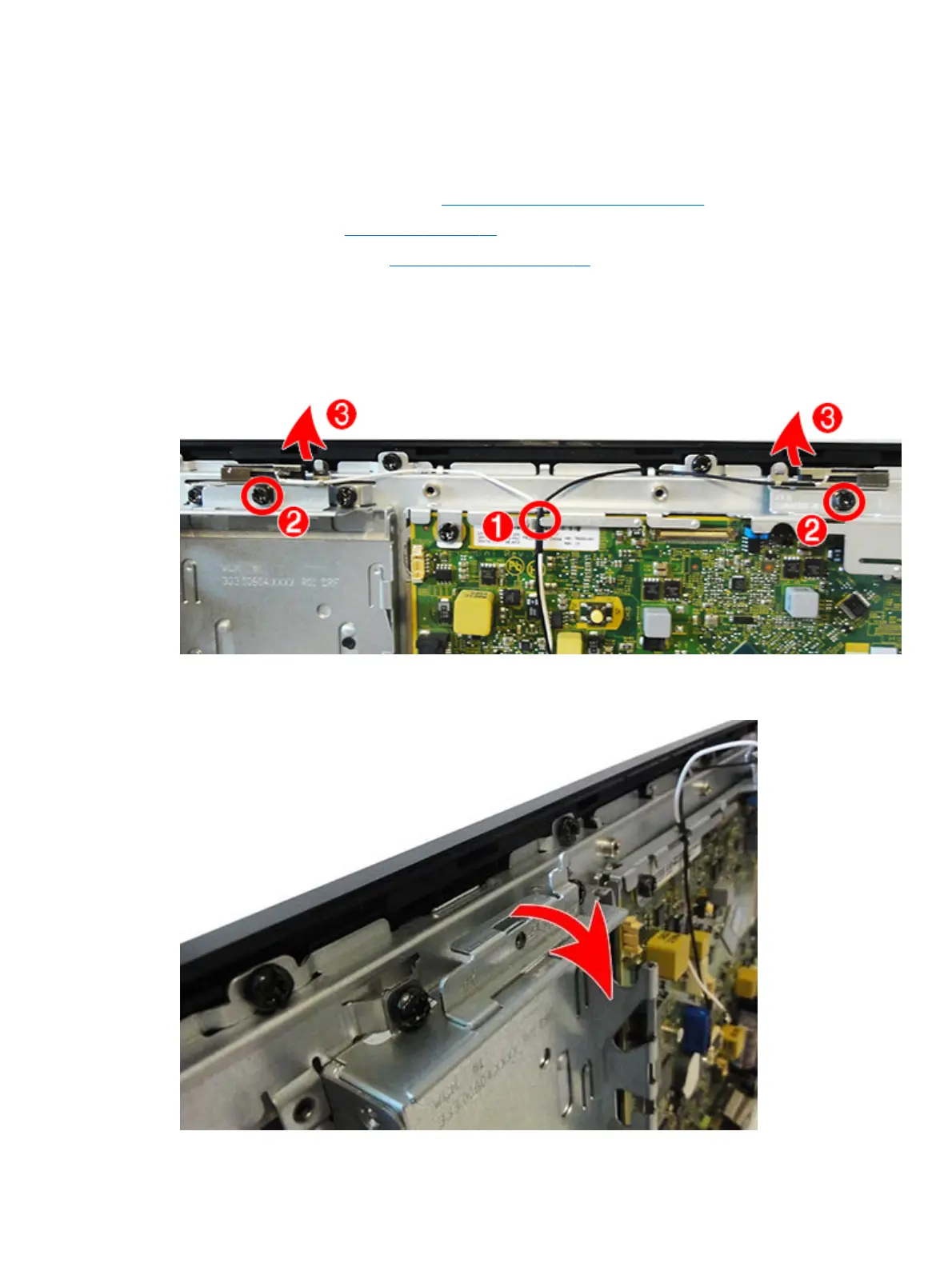
4. Remove the antenna cables from the clip near the top of the computer (1) that secures the assembly to
the chassis.
5. Remove the two Torx screws that secure the antenna transceivers to the computer (2).
6. Rotate the transceivers upward (3) to remove them from the brackets underneath.
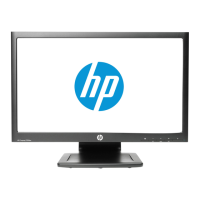
7. To remove the antenna brackets, rotate the top of the bracket downward, and then lift it up to remove
it.
50 Chapter 5 Removal and replacement procedures



 To Next Page