Front panel
To access the internal components of the computer, such as the hard drive and memory module, you must
remove the front panel.
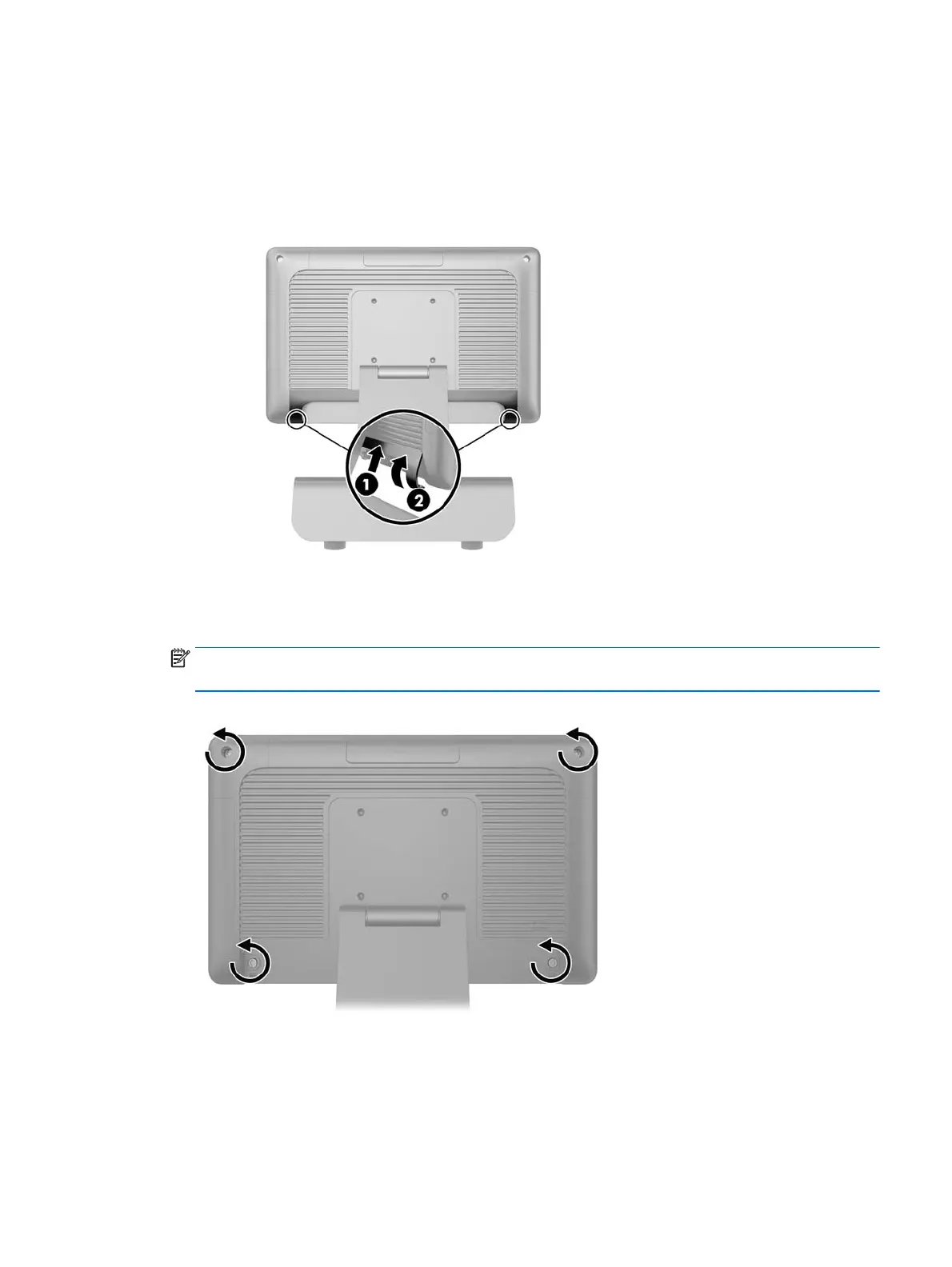
1. Push up on the bottom corners of the cable cover (1) and rotate the cover off the unit (2) to expose two
of the screws that must be loosened to remove the front panel.
2. Disconnect all cables from the rear I/O connectors, including the power cord.
3. Loosen the two captive screws in the top corners of the panel and the two captive screws in the bottom
corners of the panel.
NOTE: The captive screws are not removable. They can only be loosened to the point that the panel is
no longer secured by them.
Front panel 31



 To Next Page