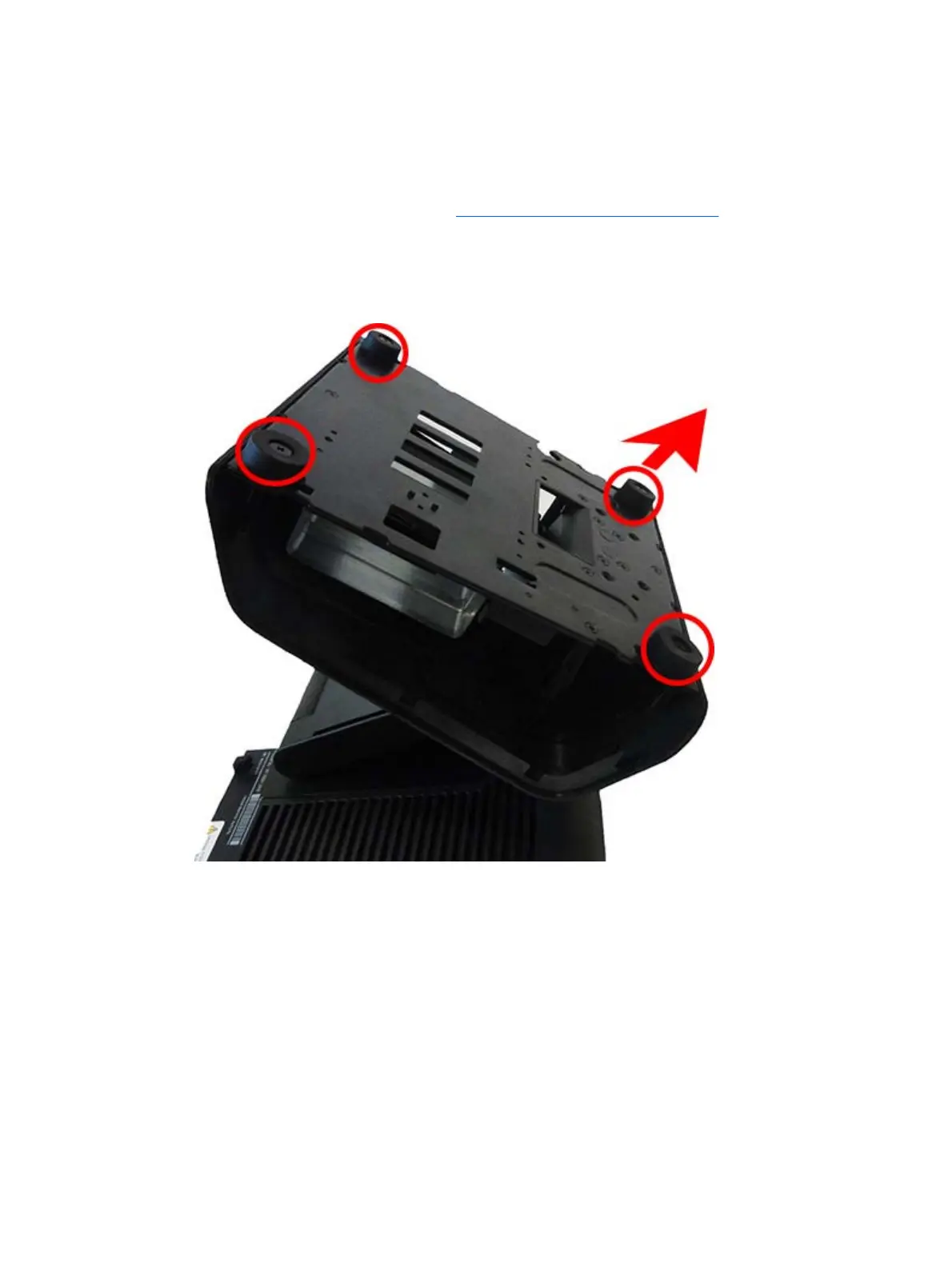
Stand feet
The bottom of the stand has four rubber feet. Each foot is secured to the stand with one Phillips screw.
To remove a foot from the bottom of the stand:
1. Prepare the computer for disassembly (
Preparation for disassembly on page 19)
2. Position the computer to allow access to the bottom of the stand.
3. Remove the Phillips screw that secures the foot to the bottom of the stand.
4. Remove the foot.
The install a foot, reverse the removal procedures.
Stand feet 23



 To Next Page