Speakers
The computer uses two speakers located on the bottom left and right sides. The speakers are wired together
and plug into one connector.
1. Prepare the computer for disassembly (
Preparation for disassembly on page 19).
2. Remove the front panel (
Front panel on page 31).
3. Remove the left and right USB assemblies (
USB port assembly on page 44).
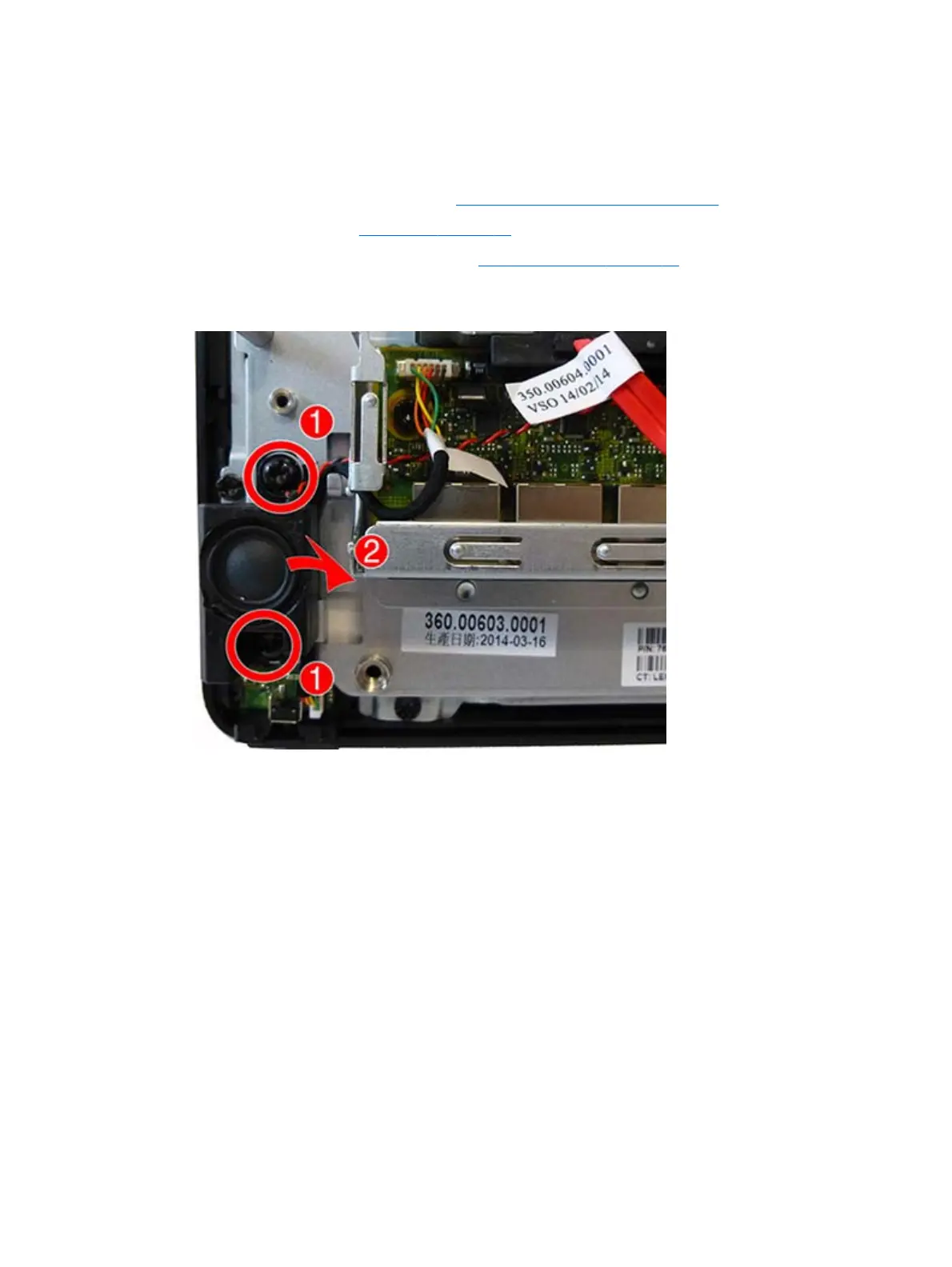
4. Remove the two Torx screws (1) that secure the left speaker to the computer, and then lift the left
speaker off the computer (2).
Speakers 47



 To Next Page