WLAN module
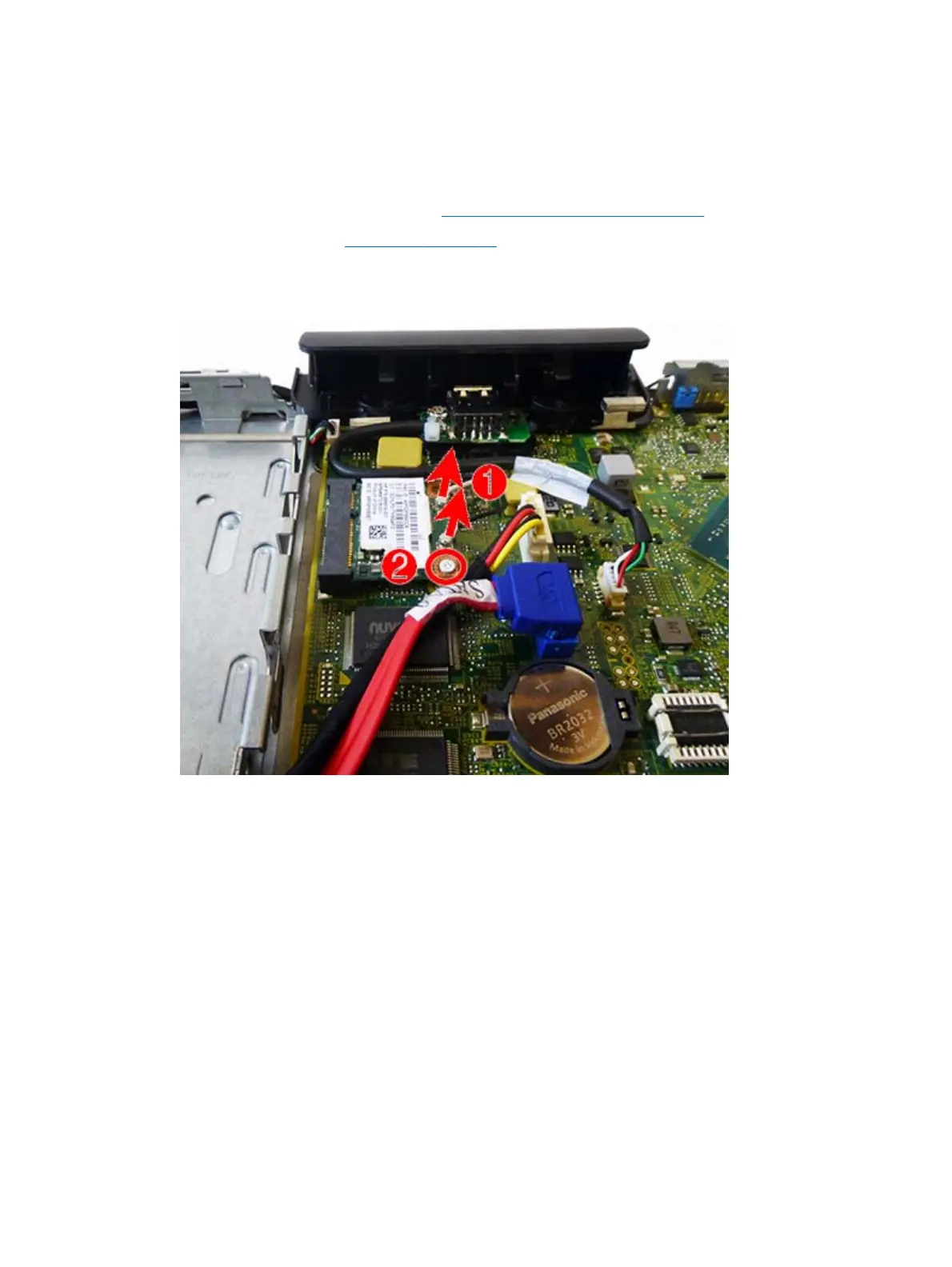
The WLAN module is secured with one screw and has two connected antennas.
To remove the WLAN module:
1. Prepare the computer for disassembly (
Preparation for disassembly on page 19)
2. Remove the front panel (
Front panel on page 31).
3. To remove a WLAN module, disconnect the antenna cables from the module (1).
4. Remove the Phillips screw (2) that secures the module to the system board.
40 Chapter 5 Removal and replacement procedures



 To Next Page