USB port assembly
Description
USB port assembly (plastic body)
USB connector and cable
1. Prepare the computer for disassembly (Preparation for disassembly on page 19).
2. Remove the front panel (
Front panel on page 31).
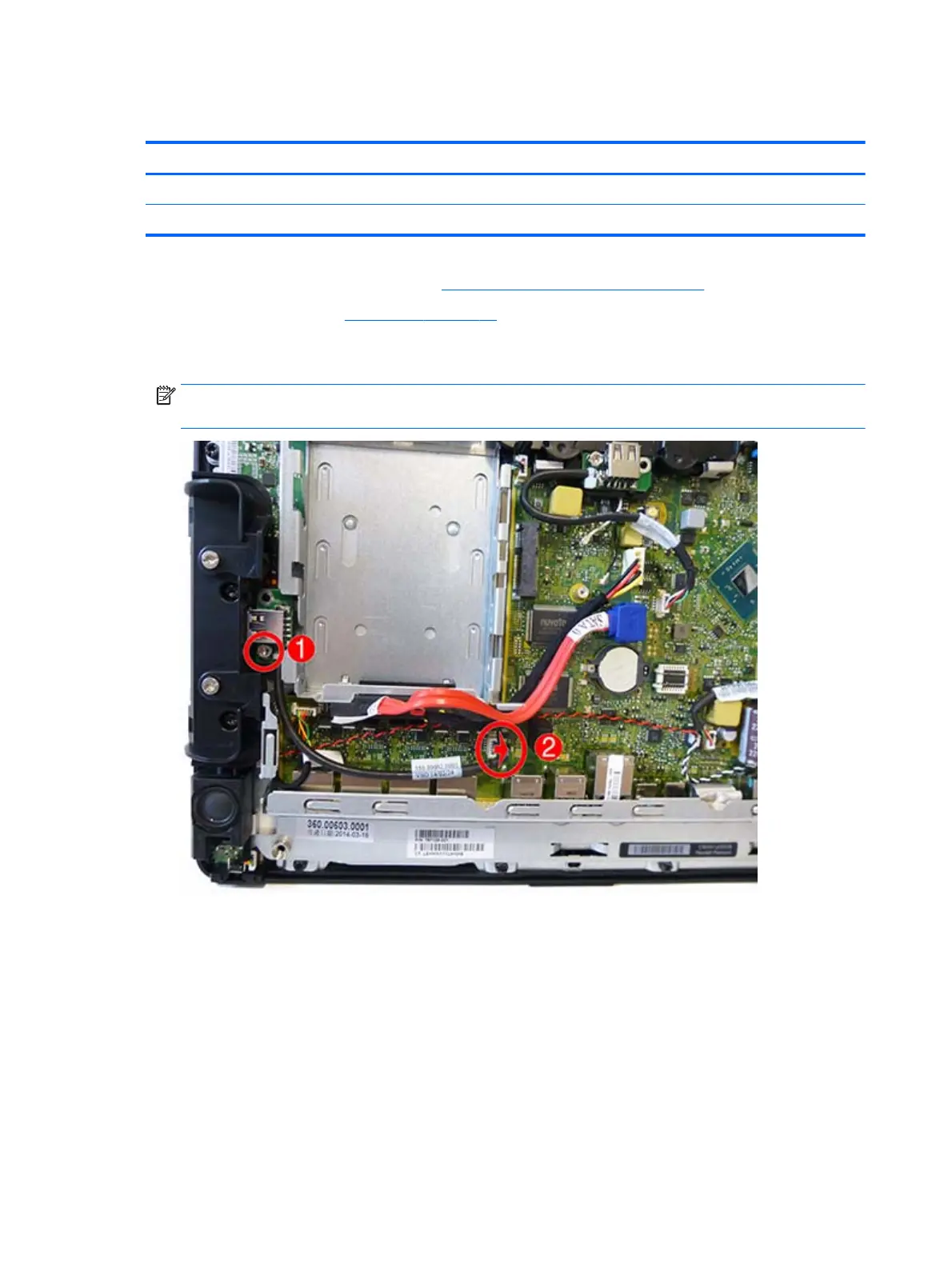
3. Remove the screw from the USB connector (1), disconnect the cable from the system board (2), and
then remove the USB port and cable.
NOTE: Left USB connector shown. The procedure to remove the left and right USB connectors is
similar.
44 Chapter 5 Removal and replacement procedures



 To Next Page