1. Turn off the computer properly through the operating system, then turn off any external devices.
2. Disconnect the power cord from the power outlet.
CAUTION: You must disconnect the power cord and wait approximately 30 seconds for the power to
drain before replacing the memory module. Regardless of the power-on state, voltage is always
supplied to the memory module as long as the computer is plugged into an active AC outlet. Adding or
removing a memory module while voltage is present may cause irreparable damage to the memory
module or system board.
3. Remove the front panel (Front panel on page 31).
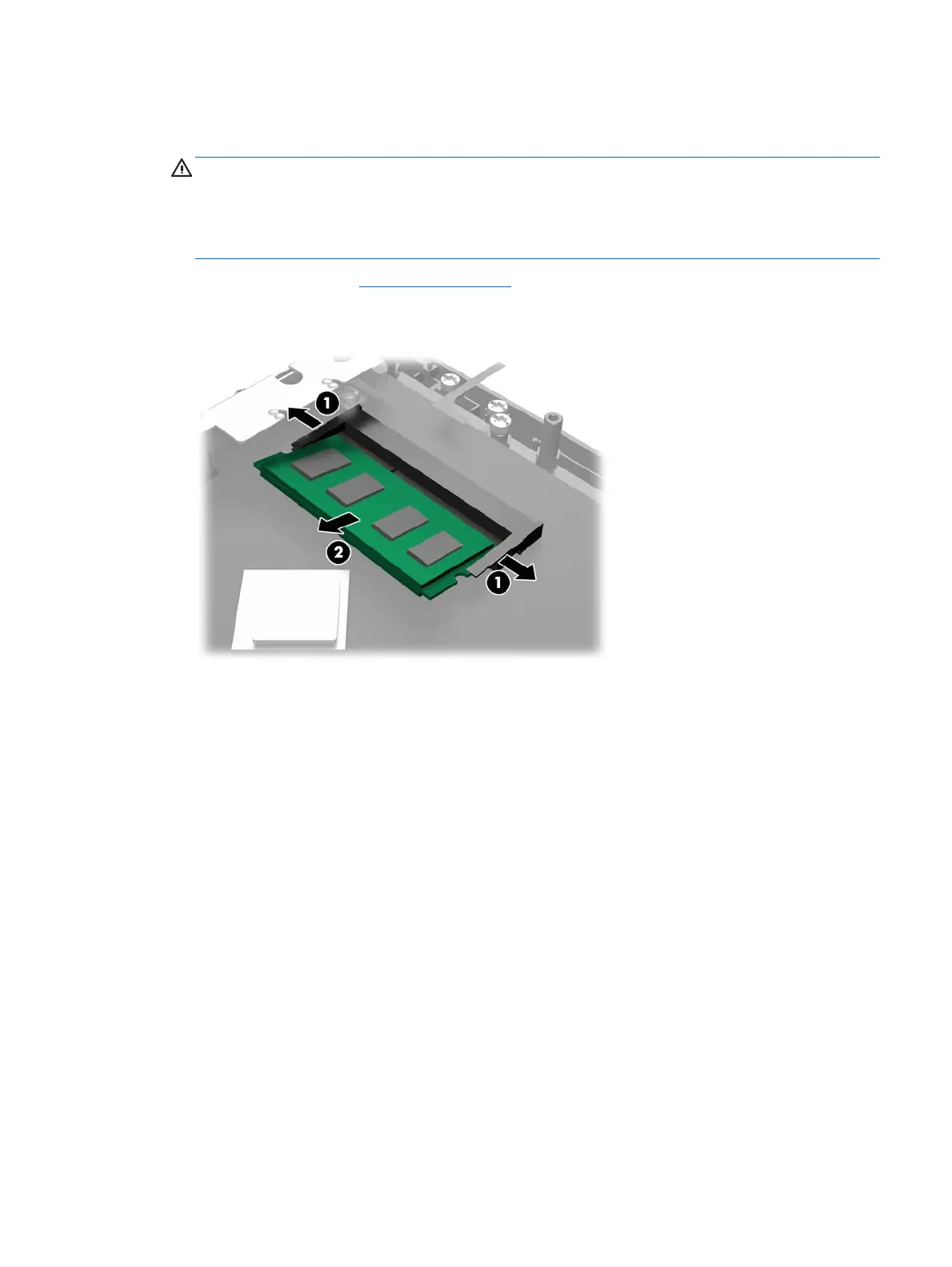
4. To remove the SODIMM, press outward on the two latches on each side of the SODIMM (1) then pull the
SODIMM out of the socket (2).
The computer automatically recognizes the additional memory when you turn on the computer.
To replace a memory module, reverse the removal procedures.
Memory 35



 To Next Page