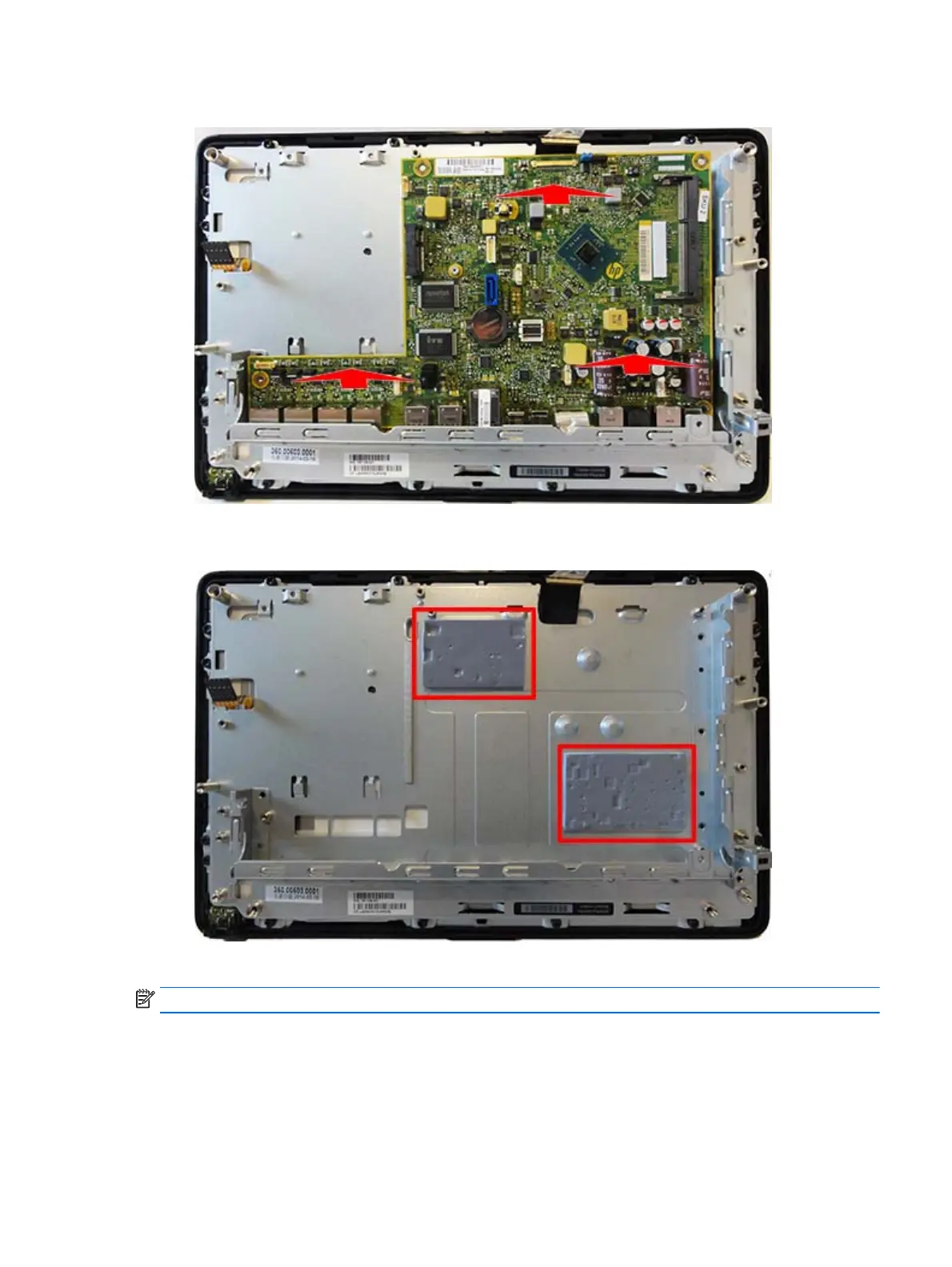
10. Lift the system board from the computer.
Use the following image to determine proper placement of thermal pads under the system board.
A thermal pad spare part kit is available.
To install the system board, reverse the removal procedures.
NOTE: When replacing the system board, you must change the chassis serial number in the BIOS.
System board 55



 To Next Page