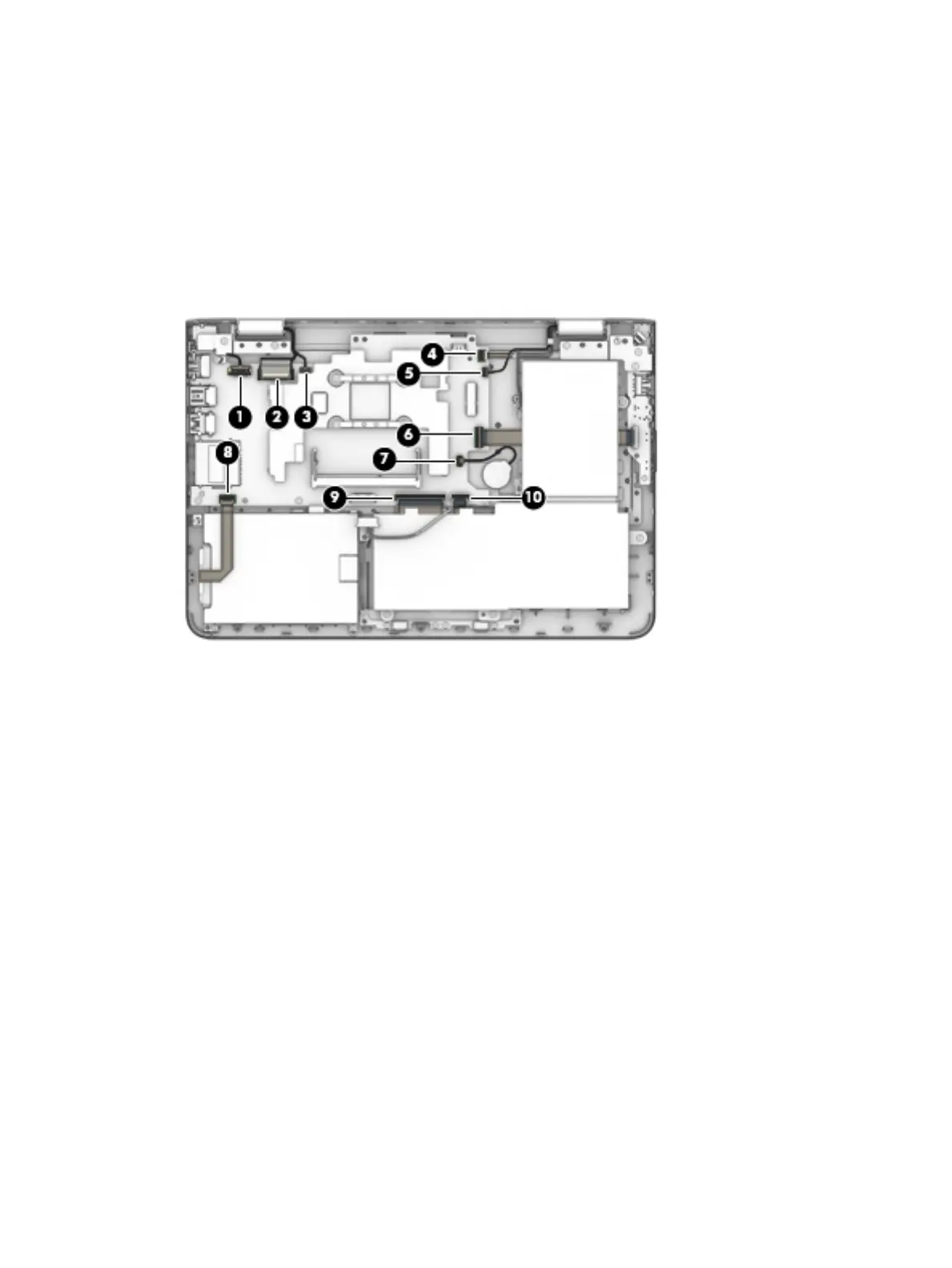
(4) Power button board ZIF connector cable
(5) G-sensor module ZIF connector cable
(6) Connector board ZIF connector cable
(7) RTC battery cable
(8) Hard drive ZIF connector cable
(9) Keyboard ZIF connector cable
(10) TouchPad ZIF connector cable
2. Remove the two Phillips PM2.5×6.3 screws (1) that secure the display right hinge to the keyboard/
top cover.
3. Remove the Phillips PM2.5×4.3 screw (2) that secures the display right hinge to the keyboard/top cover.
4. Swing the display right hinge up and back until the system board is accessible (3).
48 Chapter 5 Removal and replacement procedures





 To Next Page