Start Here: Installation, Safety, and Regulatory Information
16
European Community
The product herewith complies with the requirements of Directive 2014/35/EU relating to electrical
equipment designed for use within certain voltage limits, Directive 2014/30/EU relating to
electromagnetic compatibility, Directive 2011/65/EU on the restriction of the use of certain hazardous
substances in electrical and electronic equipment, and carries the CE marking accordingly.
FCC Class AStatement
This equipment has been tested and found to comply withy the limits of a Class A Digital devise,
pursuant to part 15 of the FCC rules.
Kazakhstan marking
For manufacturer and local representative information, see Safety and Compliance Information for Server,
Storage, Power, Networking, and Rack Products at http://www.hpe.com/support/Safety-Compliance-
EnterpriseProducts.
India
This product conforms to the relevant Essential Requirements of TEC, Department of
Telecommunications, Ministry of Communications, Govt of India, New Delhi-110001.
China
The NAL Label can be found near product packaging regulatory label.
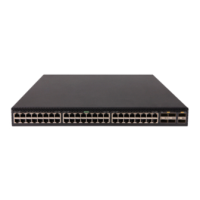
Preview of installing a HPE Aruba NetworkingCX
6200F Switch
NOTE:
This section previews the steps for installing the HPEAruba Networking CX 6200F Switch. To find detailed switch installation
steps, information on configuration tools, and other instructions and information, see the latest Installation and Getting
Started Guide for your switch.
1. Prepare the installation site. (See the latest Installation and Getting Started Guide for more information.)
2. Unpack the switch and verify that you have received the correct parts.
3. Connect power to the switch and observe the switch self-test, then remove power from the switch.
4. Mount the switch. Note that weight and mounting restrictions apply. See the "Warning" information in the Installation
precautions and guidelines section.



 To Next Page
 Loading...