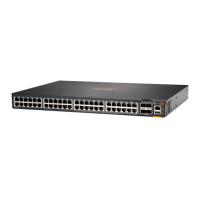
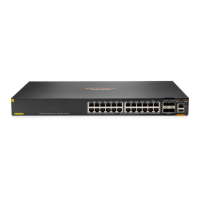
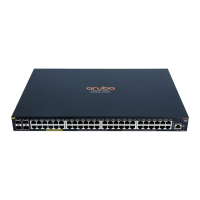
Start Here: Installation, Safety, and Regulatory Information 5
CAUTION:
n
Do not ship any switch in a rack without checking for restrictions in the latest Installation and
Getting Started Guide. Otherwise, you may void the switch warranty.
n
Ensure the power source circuits are properly grounded. Then connect the switch to the power
source by using the power cord supplied with the switch. For more information on power cords,
see the Power cords section.
n
When installing the switch, the AC outlet should be near the switch and be easily accessible in
case the switch must be powered off.
n
Ensure that the power cord and network cables at the switch mounting location do not create a
tripping hazard.
n
Do not install the switch in an environment where the operating ambient temperature exceeds its
specification. See the environmental operating temperature information in the latest Installation
and Getting Started Guide.
n
Ensure that the switch does not overload the power circuits, wiring, and over-current protection.
To determine the possibility of overloading the supply circuits, add the ampere ratings of all
devices installed on the same circuit as the switch. Then compare the total with the rating limit for
the circuit. The maximum ampere ratings for a device are usually printed near the device AC
power connectors.
n
Do not block any ventilation openings on the front or rear of the switch.Ensure that the air flow
around the switch is not restricted.
o
For all other 24- and 48-port 6200F models: In the front or the back of the switch, leave at
least 7.6 cm (3 inches) of space for the twisted-pair and fiber-optic cabling. For the air flow
direction, see the latest Installation and Getting Started Guide.
o
For Aruba 6200F 12G Class4 PoE 2G/2SFP+ 139W Switch (R8Q72A) and Aruba 6200F 12G
Class4 PoE 2G/2SFP+ 139W TAA Switch (R8V13A) models: In the front or the back of the
switch, leave at least 15.24 cm (6 inches) of space for the twisted-pair and fiber-optic cabling.
n
Marking label (includes power rating) is at the bottom of the switch.
n
The switch equipment is not suitable for use in locations where children are likely to be present.
NOTE:
n
Use only supported Aruba transceivers and DACcabes.
n
The HPEAruba Networking CX 6200F switch port side transceiver slots support SFP and SFP+
transceivers.
n
For more information, see the latest version of the following two guides:
o
Installation and Getting Started Guide
o
Transceiver Guide
Power cords
HPE Aruba Networking includes the power cord intended for use with your HPE Aruba Networking
switch. Different countries/regions may require different power cords. For a list of the power cords that
apply to your switch, see the section that lists power cords in the latest edition of the Installation and
Getting Started Guide for your switch.



 To Next Page
 Loading...