Start Here: Installation, Safety, and Regulatory Information
4
Non-TAA TAA
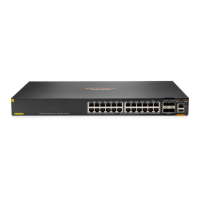
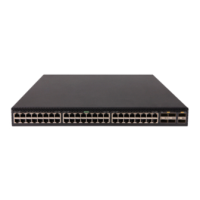
HPE Aruba Networking CX 6200F 24G 4SFP Switch
(S0M81A)
HPE Aruba Networking CX 6200F 24G Class 4 PoE 4SFP
370W Switch (S0M82A)
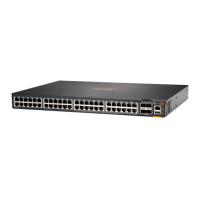
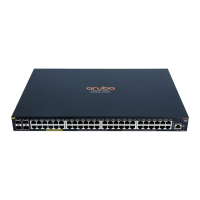
HPE Aruba Networking CX 6200F 48G 4SFP Switch
(S0M83A)
HPE Aruba Networking CX 6200F 48G Class 4 PoE 4SFP
370W Switch (S0M84A)
HPE Aruba Networking CX 6200F 48G Class 4 PoE 4SFP
740W Switch (S0M85A)
Overview
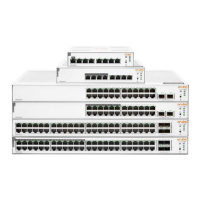
The HPE Aruba Networking CX 6200F Switch Series is a family of edge networking stackable switches,
ideal for enterprise network access. They provide the foundation for high-performance networks
supporting IoT, mobile, and cloud applications.
These switches are intended for indoor use only. They are for use in commercial applications. A typical
installation is in an environmentally controlled location. The end use environment may or may not be a
restricted access location.
A tool is required to remove the top cover; however, the product is not considered serviceable by an
operator.
Installation precautions and guidelines
To help avoid personal injury or product damage when installing your switch, read the following
installation precautions and guidelines.
WARNING:
n
With the exception of HPE Aruba Networking CX 6200F 12G Class4 PoE 2G/2SFP+ 139W switch
(R8Q72A) and HPE Aruba Networking CX 6200F 12G Class4 PoE 2G/2SFP+ 139W TAA Switch (R8V13A),
do not mount the switch on a wall, under a table, or under any other horizontal surface.
n
Mount devices installed in a rack or cabinet as low as possible. Put the heaviest devices at the bottom
and progressively lighter devices positioned higher.
n
To prevent the rack or cabinet from becoming unstable and/or falling over, ensure that it is
adequately secured.
This section provides precautions and guidelines to observe when installing your switch. For full
installation instructions, see the Installation and Getting Started Guide.



 To Next Page
 Loading...