PGM-FI Setting
2
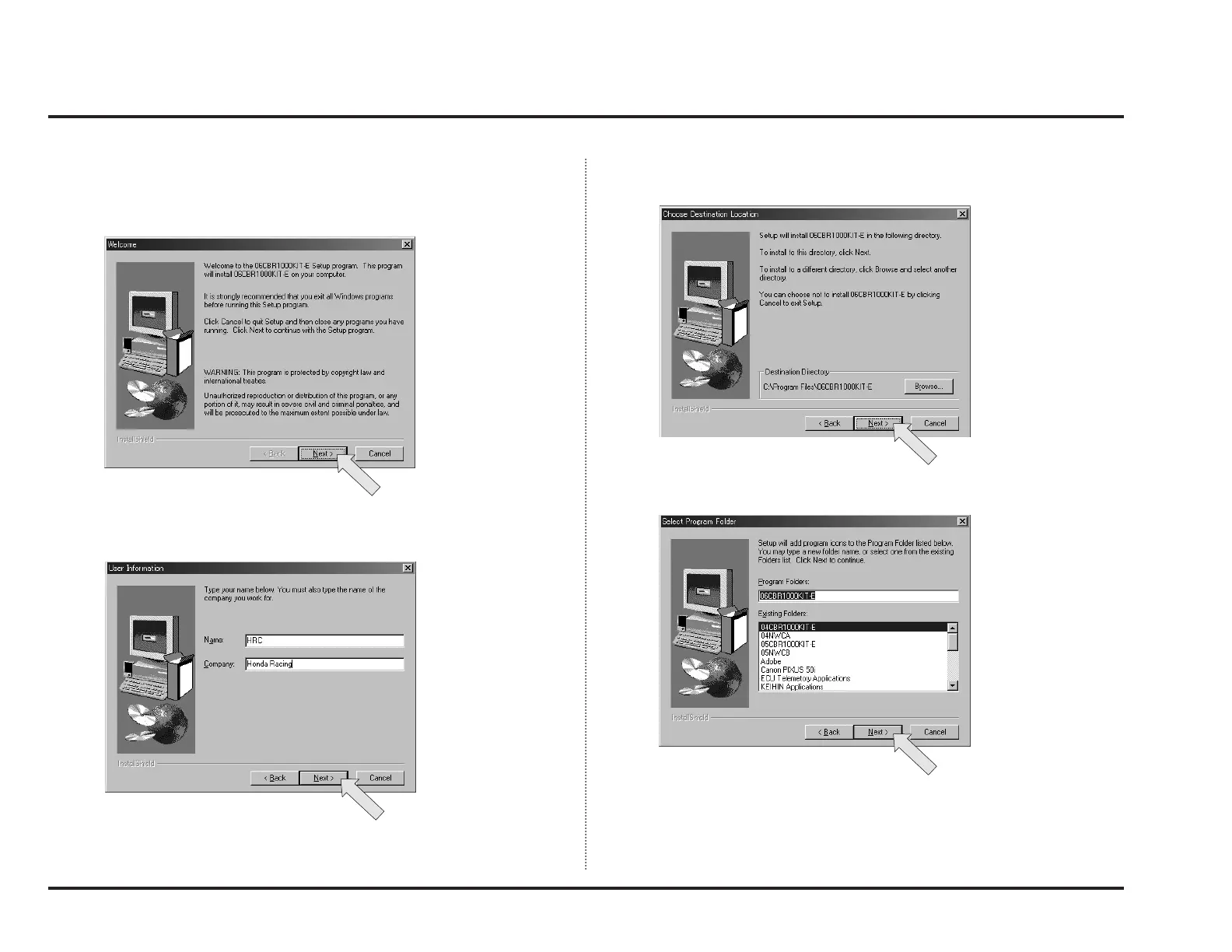
4. Then, a window like below will appear. To continue setup, click “Next.”
NOTE:
• Exit all other programs before starting installation.
5. When you using the Windows XP, the User Information window is appeared.
Click “Next.”
6. Setup will ask you to specify a directory to install the application in here. If
you need not change the default directory, click “Next.”
7. Select program folder, then clock “Next.”



 To Next Page