QuickLAN 6055
EN - 6
5. HOW TO PERFORM MEASUREMENTS
5.1. CABLING TEST
The cable is tested in accordance with its defined cabling layout.
To test a cable:
1. Select the type of cable under test (paragraph 4.1.3).
2. Connect the cable under test to QuickLAN and to the remote unit (if necessary through
patch cables). The remote unit must be necessarily connected to the other end of the
cable being tested, otherwise no measurement is performed.
3. Press
GO
to perform all tests related to the selected type of cable.
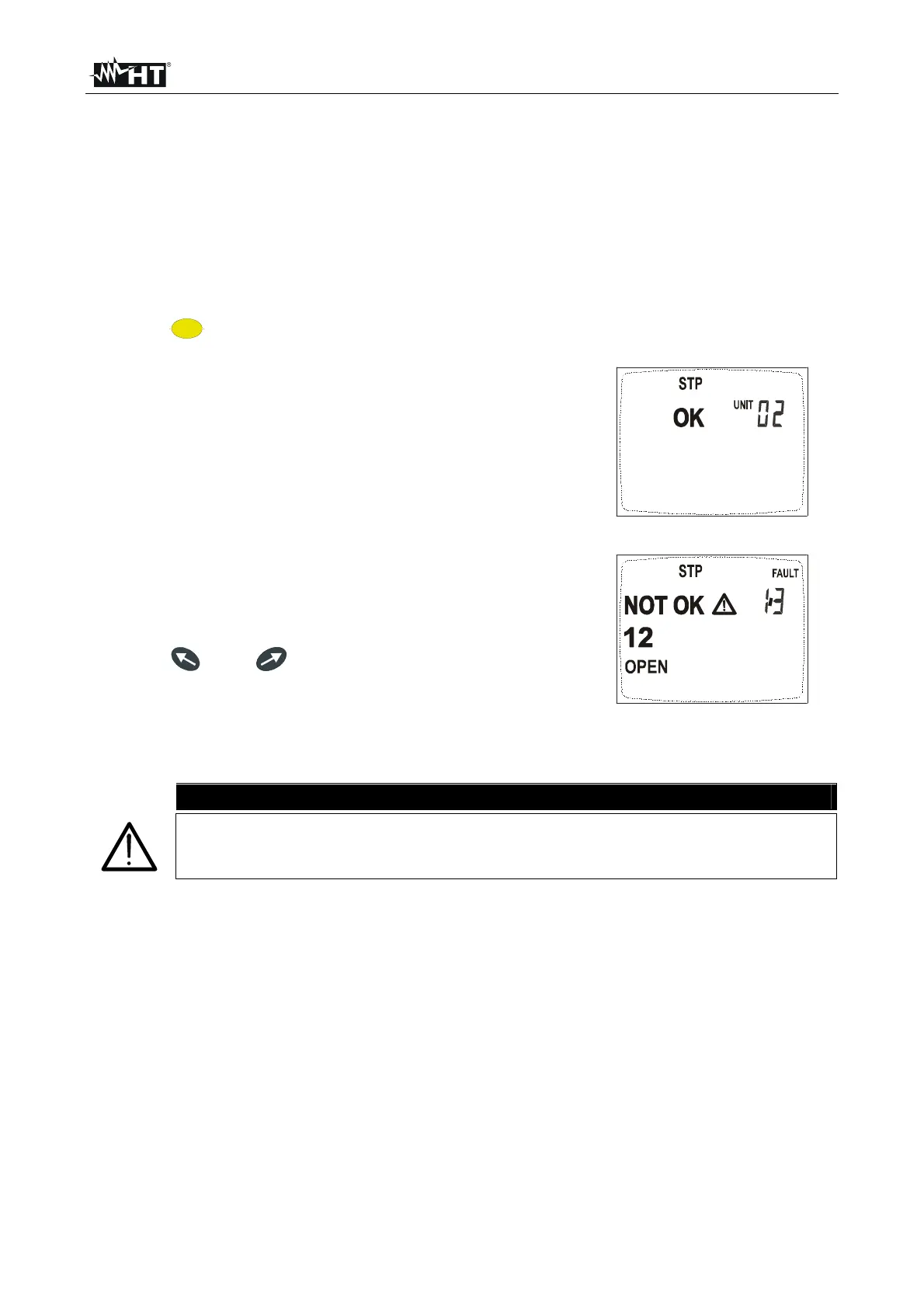
If cabling is correct, a screen like this is displayed (OK).
The identification number (02) refers to the remote
identifier connected to the other end of the cable being
tested.
If cabling is not correct, a screen like this is displayed
(NOT OK). Referring to this example, “FAULT 1/3”
means that the detected errors are 3, of which the first
one is currently displayed. Details on the detected error
are given on the left side: the couple 1-2 is open. By
pressing and it’s possible to run over the
remaining screens and display other cabling errors
(“FAULT 2/3”, “FAULT 3/3”).
QuickLAN 6055 detects all possible cabling errors detailed below.
CAUTION
It’s indispensable to select the right type of cable. If UTP is selected although
a STP cable is tested, test results may be not reliable due to the shield
affecting the measurement.



 To Next Page