QuickLAN 6055
EN - 5
4. OPERATING INSTRUCTIONS
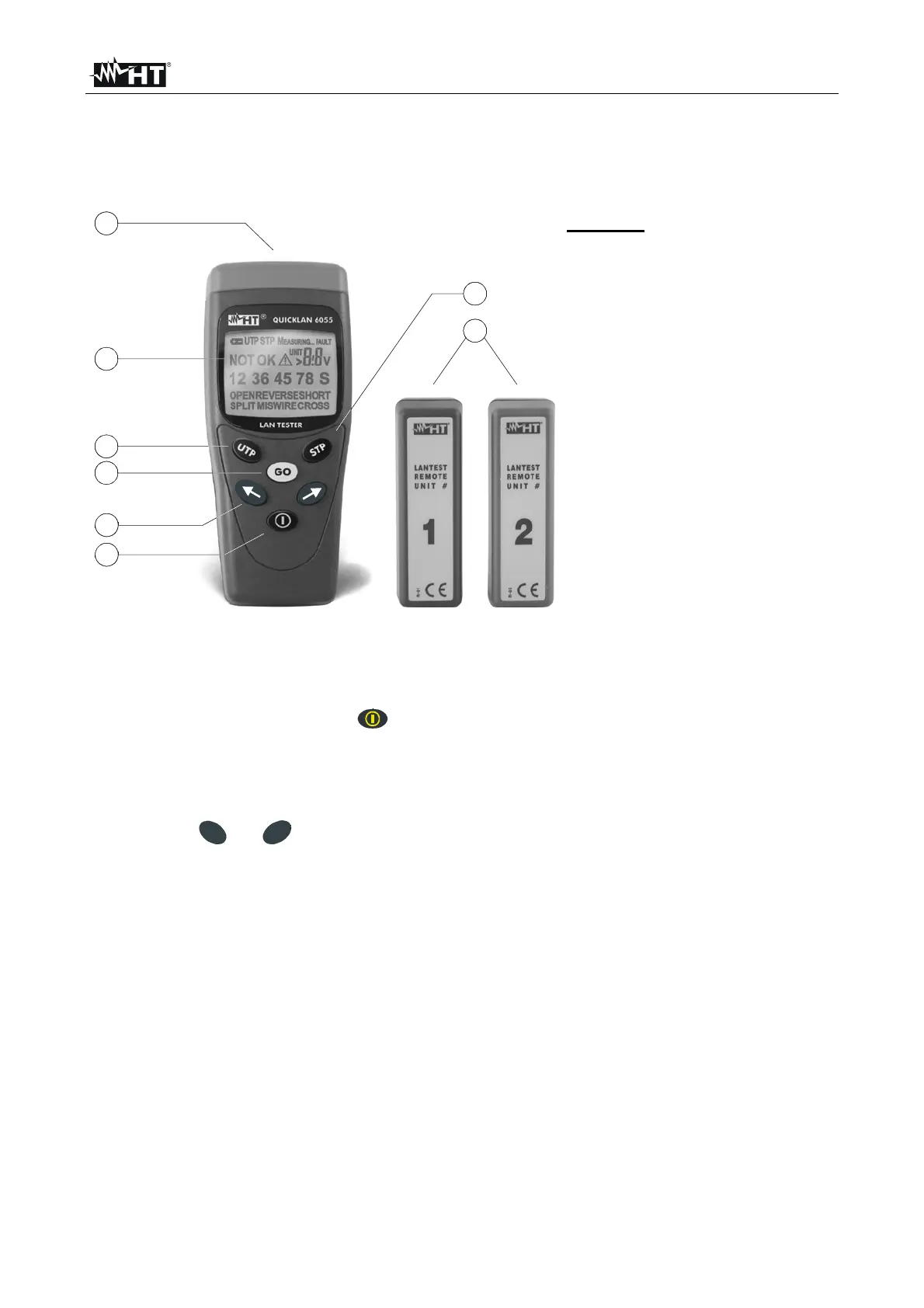
4.1. INSTRUMENT DESCRIPTION
4.1.1. Front panel
2
5
3
1
4
6
7
8
Fig. 2: Instrument description
LEGEND:
1. Jack RJ45
2. LCD
3. UTP key
4. GO key
5. Arrow keys
6. POWER key
7. STP key
8. Remote
units #1 ~ #2
4.1.2. Turning on
To turn on the instrument press . For an instant all display segments light up, then the
firmware release appears on the top right side. When “on” is displayed the instrument is
ready to start.
4.1.3. Selection of cable type
By pressing
U
T
P
or
S
T
P
it’s possible to select the type of cable to be tested, with the
following difference: STP performs also tests on the shield (continuity and proper
connections) while UTP doesn’t.
Consequently STP must be pressed for all shielded cables such as:
- FTP (Foiled Twisted Pair cable)
- STP (Shielded Twisted Pair cable)
- SSTP (Shielded/Shielded Twisted Pair cable)
- SFTP (Shielded/Foiled Twisted Pair cable)
NOTE: by default the selected cable is STP. Any time the instrument is turned off and on
such type of cable is automatically selected.



 To Next Page