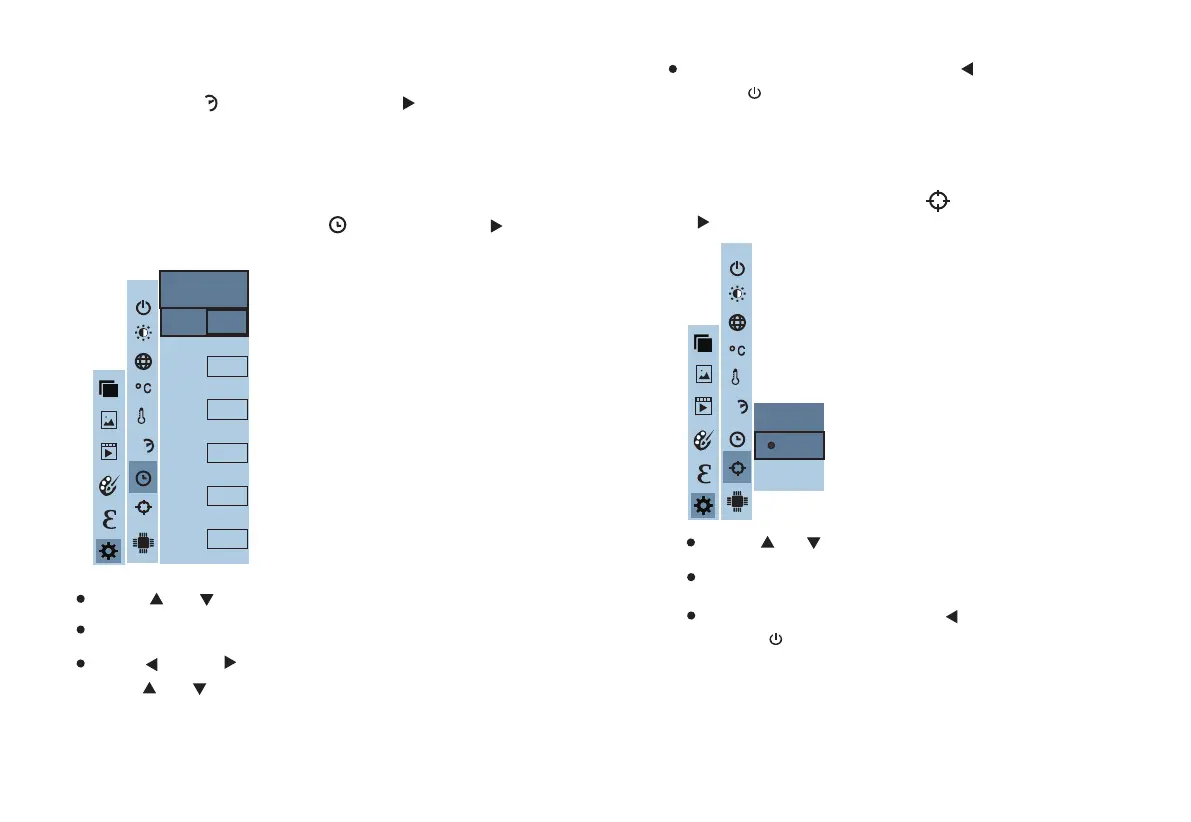
After you select " "(time format), press the " " key in the
navigation key to enter the time format setting. Can be set to 24 hours
or 12 hours.
6.7. Time Setting
6.8. Enable/Disable of the Highest and Lowest
Temperature Cursor
Press “ ”/“ ” to select year/month/day/hour/minute.
After selecting, press “
SELECT/ENTER
” key to enter the edit state.
Press“ ” and “ ” keys to select the figure to be changed.
Press“ ” /“ ” key to change the value. After completing the
change, press “
SELECT/ENTER
” to enter.
After the time setting is completed, press “ ” key to return. Press
“
MENU/
” exit from the menu.
As shown in the figure, after selecting “ ” (cold hotspot), press the
“ ” button in the navigation key to enter the cold hotspot setting.
As shown in the figure, after selecting “ ” (set time), press “ ”
in the navigation key to enter the setting time.
Press “ ” /“ ” key to select “enable” or “disable” the option.
Then press “
SELECT/ENTER
” key to determine selection.
After the setting is completed,press “ ” key to return. Press
“
MENU/
” key to exit from the menu.
6.6. Time Format Setting
24h
29 30
Year
Month
Day
Hour
Minute
2016
9
9
11
33
Second
33
Set time
Spot
Off
On
24h
L
H
24h
L
H



 To Previous Page