MyView: Extras
Auto deleting recordings
If your hard disk becomes full and there isn’t
enough space to record a new programme,
YouView will automatically delete a recording,
starting with the oldest watched recorded
programme. Note that locking a recording ensures
it won’t be auto deleted.
You can also turn auto delete off. To do
this, press , go to Settings and use the arrow
key to scroll right to Device Management. Press
OK on Auto Delete Recording and select OFF.
If the hard disk is full you may fi nd that new
programmes won’t be recorded.
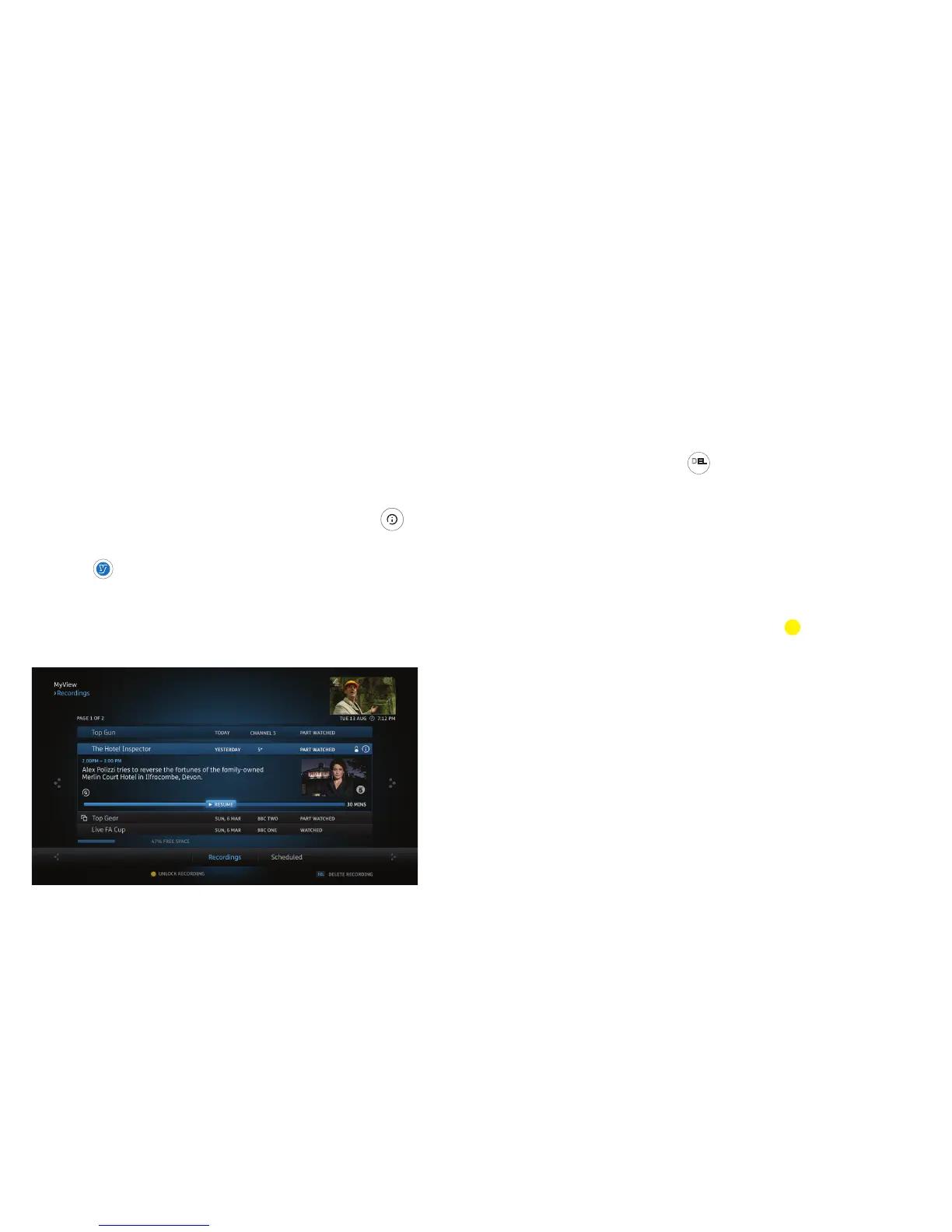
Finding out more about a recorded
programme
1. Highlight the recording.
2. Press OK.
3. Press to open the Information Panel.
If available, you may fi nd more episodes from the
same series.
Deleting a recording
1. Highlight the recording.
2. Press
DEL
sub
on the remote control.
Locking a recording
To prevent automatic deletion of a recording, you
can lock it.
1. Highlight the recording.
2. Press the yellow button on the
remote control.
To unlock a recording, highlight it and
press the yellow button again.
14


 To Next Page