EasyManua.ls Logo

Huawei Echolife HG520b - User Manual

Huawei Echolife HG520b
33 pages
Print Icon
To Next Page IconTo Next Page
Loading...
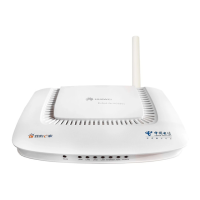
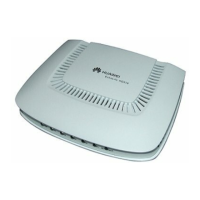
EchoLife HG520b Home Gateway
User Manual
HUAWEI TECHNOLOGIES CO., LTD.

Other manuals for Huawei Echolife HG520b

Questions and Answers

  • J
    Jessica HayesJul 31, 2025
    What to do if the Internet cannot be accessed via Huawei Gateway?
    • D
      Dalton LaneJul 31, 2025
      If you cannot access the internet using your Huawei Gateway, first ensure that all previously listed problems do not exist. Also, verify that the dial-up software is correctly installed and set up on your computer. Make sure that you have entered the correct username and password. Check if the proxy server on your Internet Explorer is correctly configured and ensure that the proxy server is disabled. Try accessing different websites to rule out website-specific issues. Finally, try stopping the dial-up connection and re-establishing it after 5 minutes.
  • A
    ashleygrossAug 10, 2025
    How to fix a Huawei Echolife HG520b when the LAN indicator is not on?
    • L
      lonnie84Aug 10, 2025
      If the LAN indicator on your Huawei Gateway is not on, please ensure that you are using the network cable provided with the device. Verify that all cables are connected properly. Check that the network adapter indicator on your computer is lit and that your network card is working normally. To check the network card, right-click 'My Computer', select 'Properties', then navigate to 'Hardware > Device Manager'. Look for any devices marked with a '?' or '!' under 'Network adapters'. If any such devices are found, uninstall and reinstall them, or try changing the NIC slot. If the problem persists, consider changing the NIC.
  • K
    knappericAug 19, 2025
    Why is the POWER indicator not on for my Huawei Echolife HG520b?
    • A
      Amanda WalkerAug 19, 2025
      If the POWER indicator on your Huawei HG520b Gateway is not on, ensure that the power adapter is suitable for the device. Also, make sure the HG520b is properly connected to the power supply, and verify that the ON/OFF button is pressed.

Summary

Safety and Usage Precautions

Chapter 2 Installation and Setup

Chapter 3 Service Configuration

Configuring Bridge Mode

Step-by-step guide to set up the HG520b in bridge mode.

Configuring PPPoA Mode

Step-by-step guide to set up the HG520b for PPPoA connection.

Configuring Wireless Mode

Guides for setting up the HG520b for wireless connectivity.

Chapter 4 Other Settings

Restore Factory Defaults

Procedures to reset the HG520b to its original factory configuration.

Chapter 5 Troubleshooting

Quick Failure Diagnosis

Identifies common problems and provides immediate solutions.

Huawei Echolife HG520b Specifications

General IconGeneral
WAN Ports1
LAN Ports4
Wireless SpeedUp to 54 Mbps
FirewallYes
DHCP ServerYes
SecurityWEP, WPA, WPA2
Device TypeADSL Router
Wireless Standard802.11b/g
Power Supply12V, 1A
ADSL StandardsG.992.1, G.992.3, G.992.5
Ports1 WAN, 4 LAN

Related product manuals