6.2 Routing the External Power Cables
Before routing the power cable, turn off the output switch of the power system.
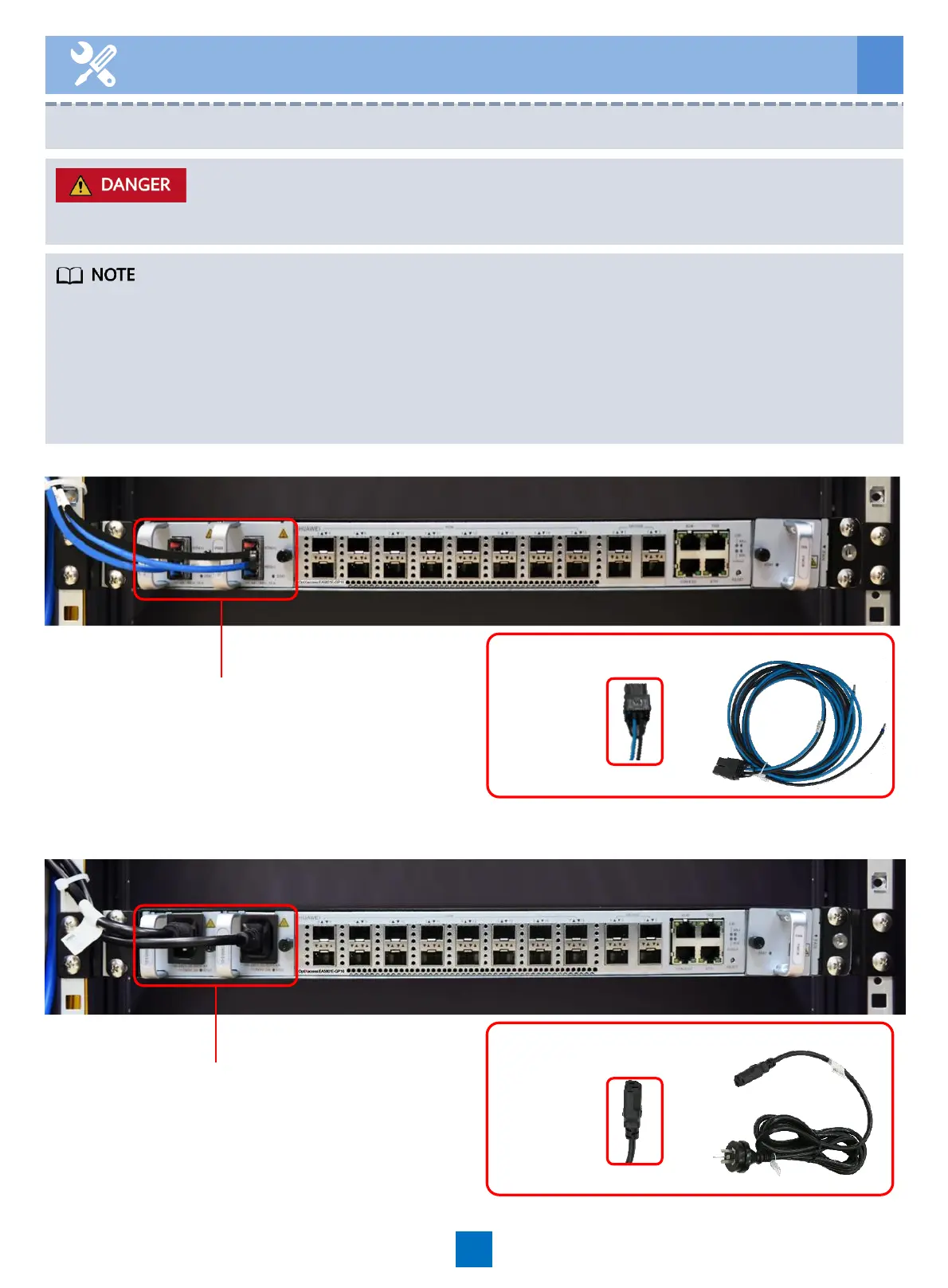
DC power
cable
16
To the DC PDU
6 Routing Cables
• The EA5801E uses customized DC power cables. To ensure the normal operation of the
device, do not replace the power cables without permission.
• The two power cables need to be controlled by independent circuit breakers when being
connected to the DC PDU.
• The PDU must support two –48 V DC or –60 V DC power supplies. The rated current of a
single circuit breaker must be less than or equal to 20 A.
DC power supply
AC power supply
To the AC PDU
DC input
AC input
AC power cable





 To Next Page