6.3 Routing Network Cables
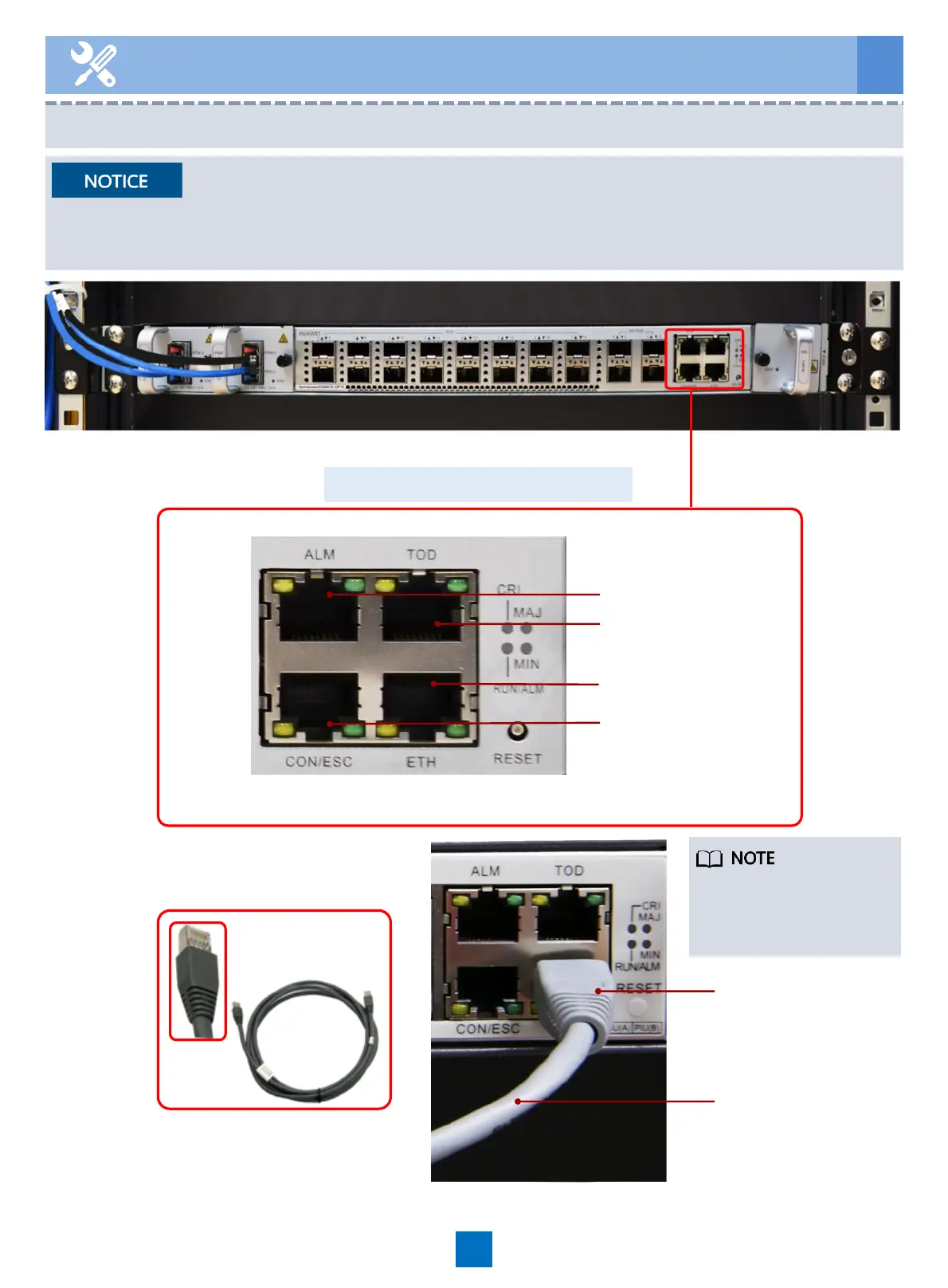
Network cable
17
6 Routing Cables
Boolean alarm port
TOD clock port
ETH debugging port
Commissioning serial
port and
environment
monitoring serial
port
Network cable
All the preceding ports are connected to the maintenance terminal or transmission device.
To the
maintenance
device
Route general interface cable
This figure is for reference
only. Connect the network
cable based on actual
service requirements.
• In scenarios complying with the EN 61000-6-5 and IEC 61850-3 standards in the electric
power industry, the ETH, ALM, CON/ESC, and TOD ports on the EA5801E-GP16-H2 must be
connected using shielded cables. Otherwise, data transmission may be unstable.





 To Next Page