Checking the Cabinet Installing
20
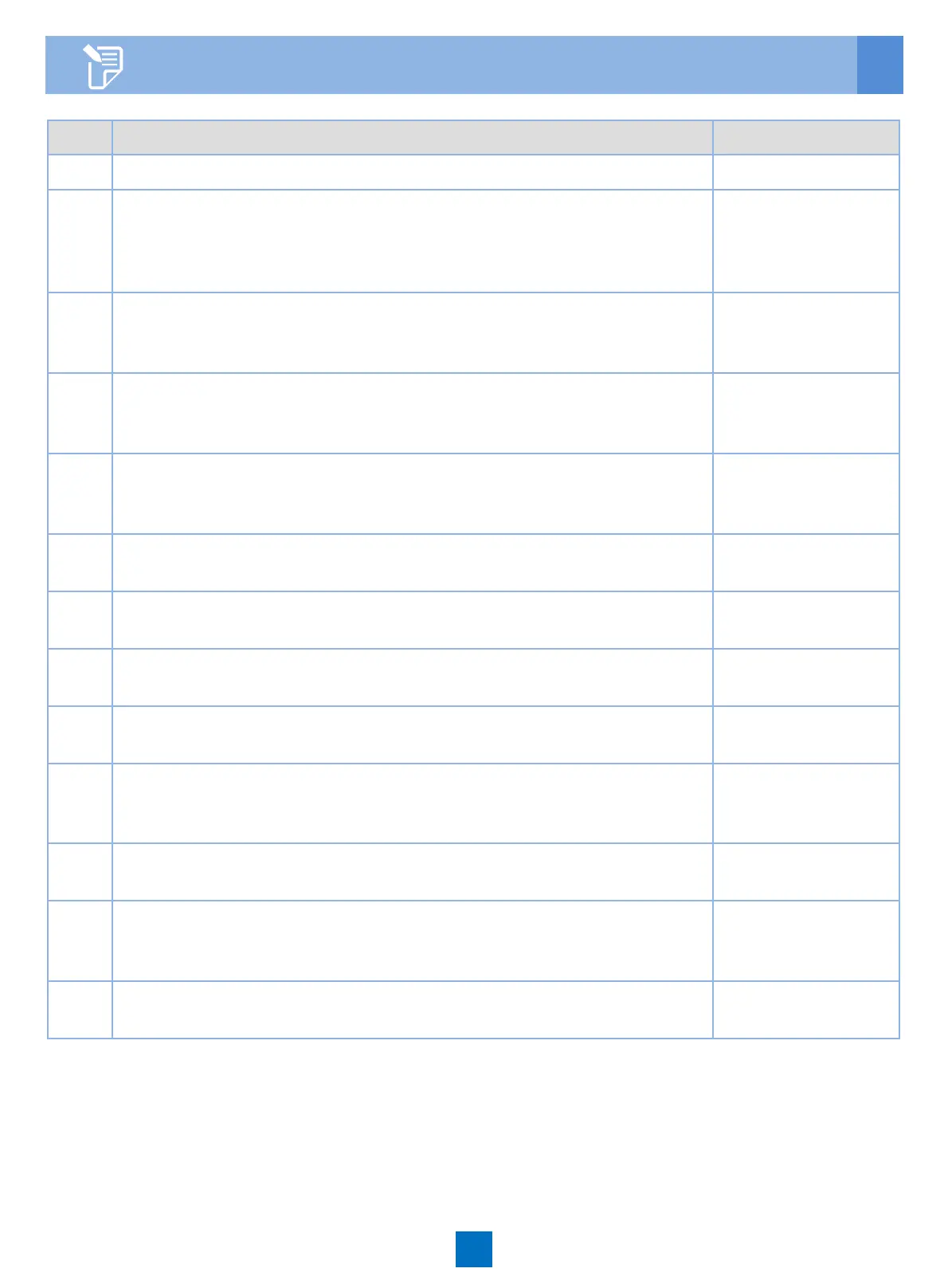
NO. Description Method
1 Do not place any materials on the service subrack. Observe
2 All the cables are bound with proper tightness. The space
between the cable ties is even, and the remaining parts of the
cable ties are cut off neatly. All cable ties face the same direction,
keeping the overall appearance nice.
Observe
3 The cross sectional area of the power cable and ground cable
complies with the engineering design, and satisfy the
requirements of equipment running.
Observe
4 The power cable and ground cable adopt a whole segment of
copper core. The cable has no connection in the middle or scratch
on the skin.
Observe
5 The power cable and ground cable must be routed horizontally
and vertically without crossover. Proper margins must be reserved
at the turning.
Observe
6 The power cable and ground cable must be connected correctly
and reliably.
Observe
7 The identifiers on the power cable and ground cable must be
correct, legible, and neat.
Observe
8 The power cables, ground cables, and signal cables must be
routed separately.
Observe
9 Signal cables must be long enough, and must not be damaged or
broken, without joint in the cable.
Observe
10 The connectors of the signal cables must be neat and intact. The
connectors must be connected correctly and firmly. The tips must
be connected securely.
Observe
11 Labels at both ends of the signal cables must be marked
correctly, clearly and neatly.
Observe
12 If the fibers must be routed outside the cabinet, protection
measures must be taken, such as using corrugated pipes or guide
troughs.
Observe
13 Place the optical fiber pairs in order and bind them carefully with
optical binders. No sharp edge is allowed.
Observe





 To Previous Page