7 Powering On the System
On for 1s and off
for 1s repeatedly
• Power on the device only when the input voltage is in the normal range.
• Use the multimeter to test the voltage between NEG(-) and RTN(+) on the DC PDU for the
EA5801E powered by the -48 VDC. The voltage should range from -38.4 V to -57.6 V.
• Use the multimeter to test the voltage between NEG(-) and RTN(+) on the DC PDU for the
EA5801E powered by the -60 VDC. The voltage should range from -50 V to -72 V.
Steady green
Blinking green
19
DC power supply
AC power supply
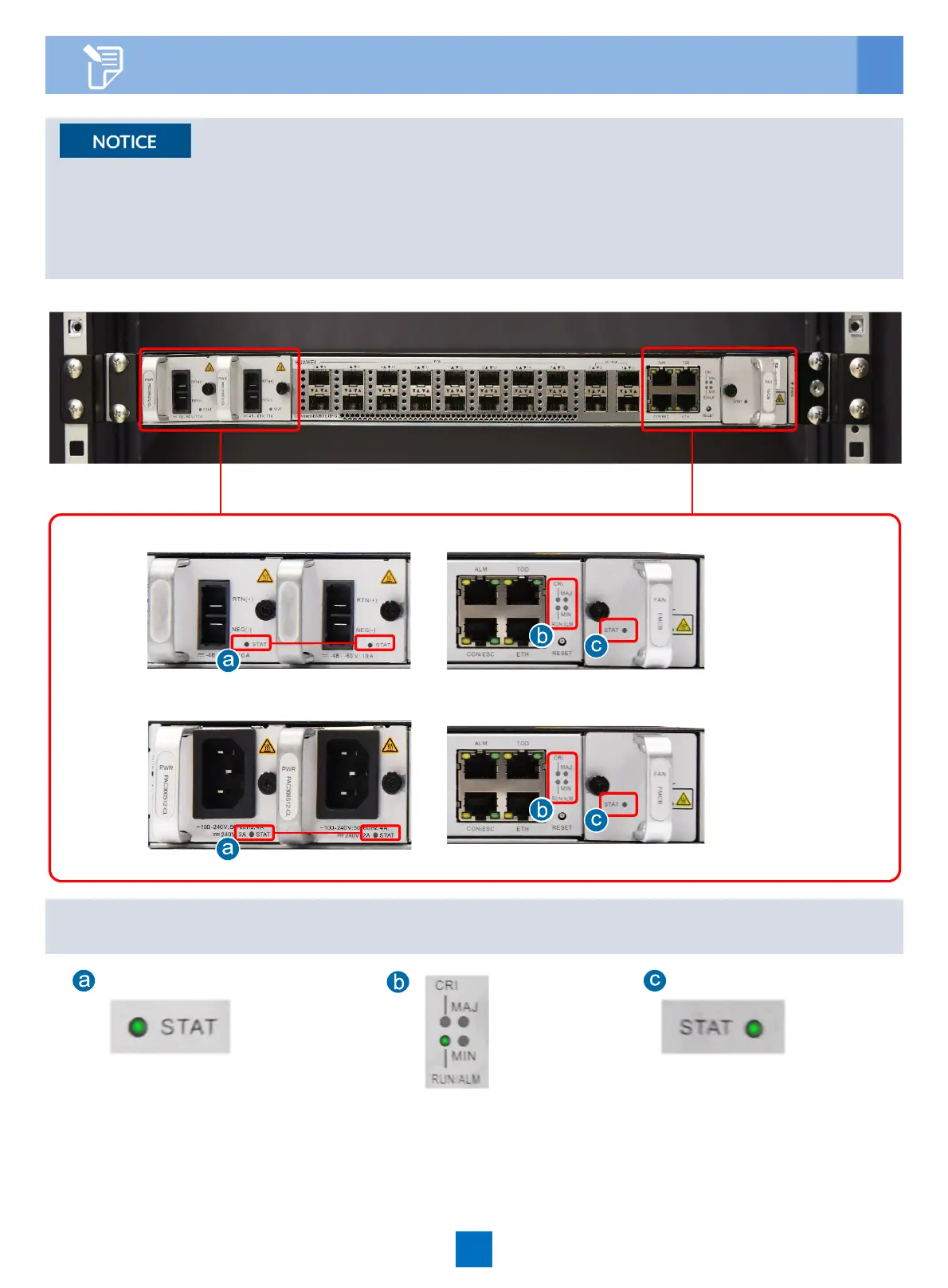
When the device runs properly, the status of each indicator is as follows:





 To Next Page