NOTICE
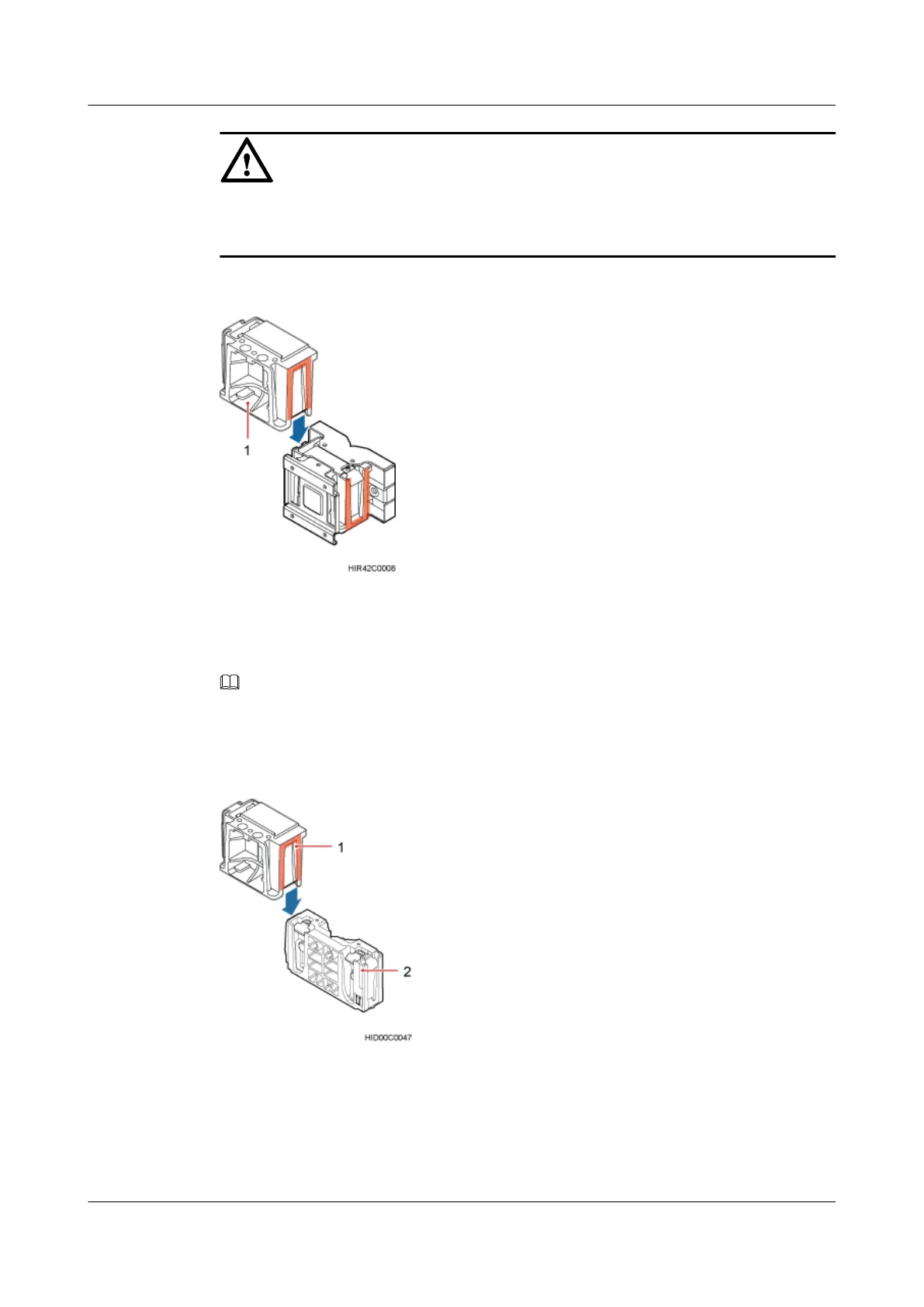
The second main bracket must be installed, with the open ends of U-shaped slots on both sides
facing downwards.
Figure 8-10 Installing the second main bracket
(1) Removed main bracket
NOTE
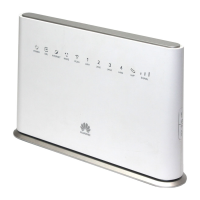
The main mounting bracket for installing a blade RRU can connect to the main mounting bracket for
installing a common RRU in the scenarios of adding RRUs, as shown in Figure 8-11.
Figure 8-11 Connect to the main mounting bracket for installing a common RRU
(1) Main mounting bracket for a blade RRU
(2) Main mounting bracket for a common RRU
Step 4 Install the second RRU onto the main bracket, as shown in Figure 8-12.
RRU3262
Installation Guide
8 Installing the RRU
Issue 01 (2014-11-20) Huawei Proprietary and Confidential
Copyright © Huawei Technologies Co., Ltd.
57


 To Next Page