6 Operation and Maintenance
6.1 Using the Touch Panel
The endpoint provides an optional Android-based, 10-inch touch panel. With an intuitive and
customized UI, the touch panel provides a superb gesture control experience, allowing users
quick access to conference functions.
On the touch panel UI, you can perform operations such as finding a scheduled conference
and joining it simply by one tap, creating a point-to-point or multipoint conference, sharing
presentation, viewing a specified site or presentation, setting continuous presence, performing
conference control, defining system settings, conducting a diagnosis simply by one tap, and
controlling microphones, speakers, and cameras. If the Far-End Camera Control (FECC)
function is enabled for a remote camera during a conference, you can also use the touch panel
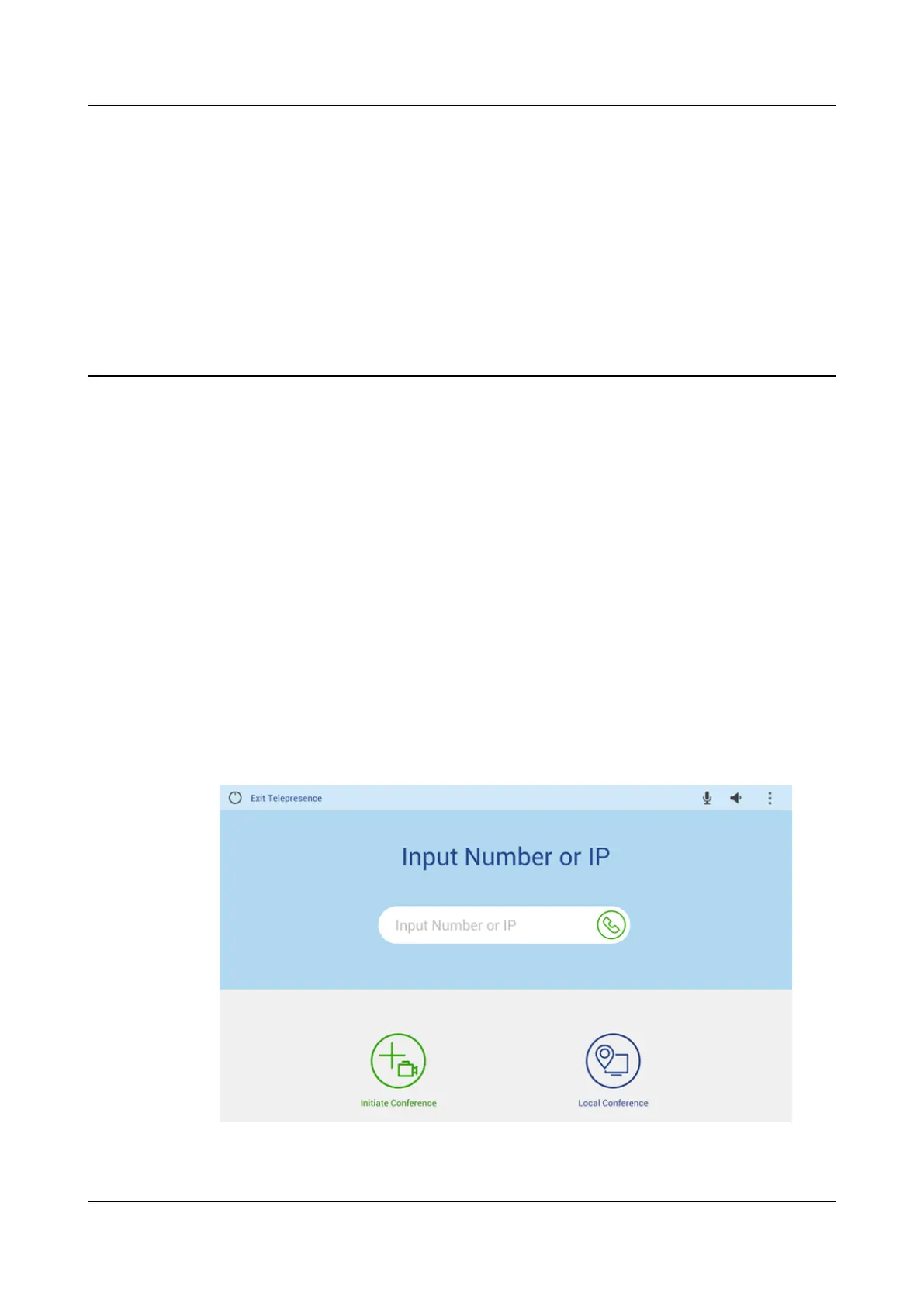
to control the remote camera. Figure 6-1 shows the home screen of the touch panel UI.
Figure 6-1 Home screen of the touch panel UI
TE30 Videoconferencing Endpoint
Product Overview
6 Operation and Maintenance
Issue 03 (2018-06-30) Copyright © Huawei Technologies Co., Ltd. 29





 To Next Page