3 Application Scenarios
3.1 On-Premises/IMS Hosted/SP Hosted Network
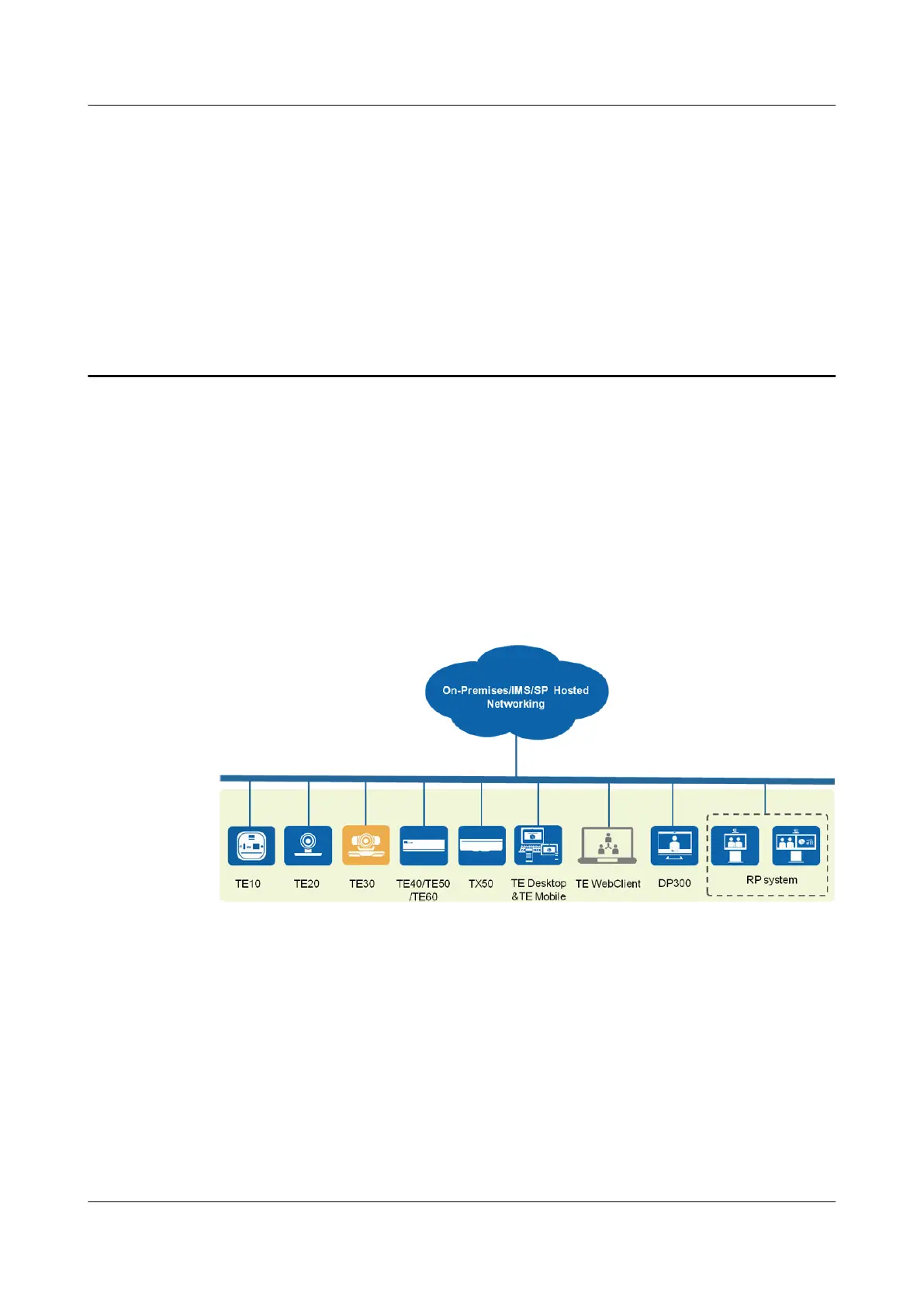
The endpoint connects to on-premises, IMS hosted, or SP hosted CloudVC/CloudEC
networks, enabling video communication for enterprises and carriers. Figure 3-1 shows the
network diagram.
Figure 3-1 Networking diagram
The network is described as follows:
l The endpoint connects to the on-premises network through the standard SIP or H.323
protocol.
l The standard SIP protocol is used for connecting the endpoint to the IMS or SP hosted
network.
l Video, data, and presentation sharing can be implemented between the endpoint and
various kinds of terminals and clients to deliver the optimal communications experience.
3.2 Built-in MCU-based Network
TE30 Videoconferencing Endpoint
Product Overview
3 Application Scenarios
Issue 03 (2018-06-30) Copyright © Huawei Technologies Co., Ltd. 5






 To Next Page