HUAWEI TE80 Videoconferencing Endpoint
Administrator Guide
Huawei Proprietary and Confidential
Copyright © Huawei Technologies Co., Ltd.
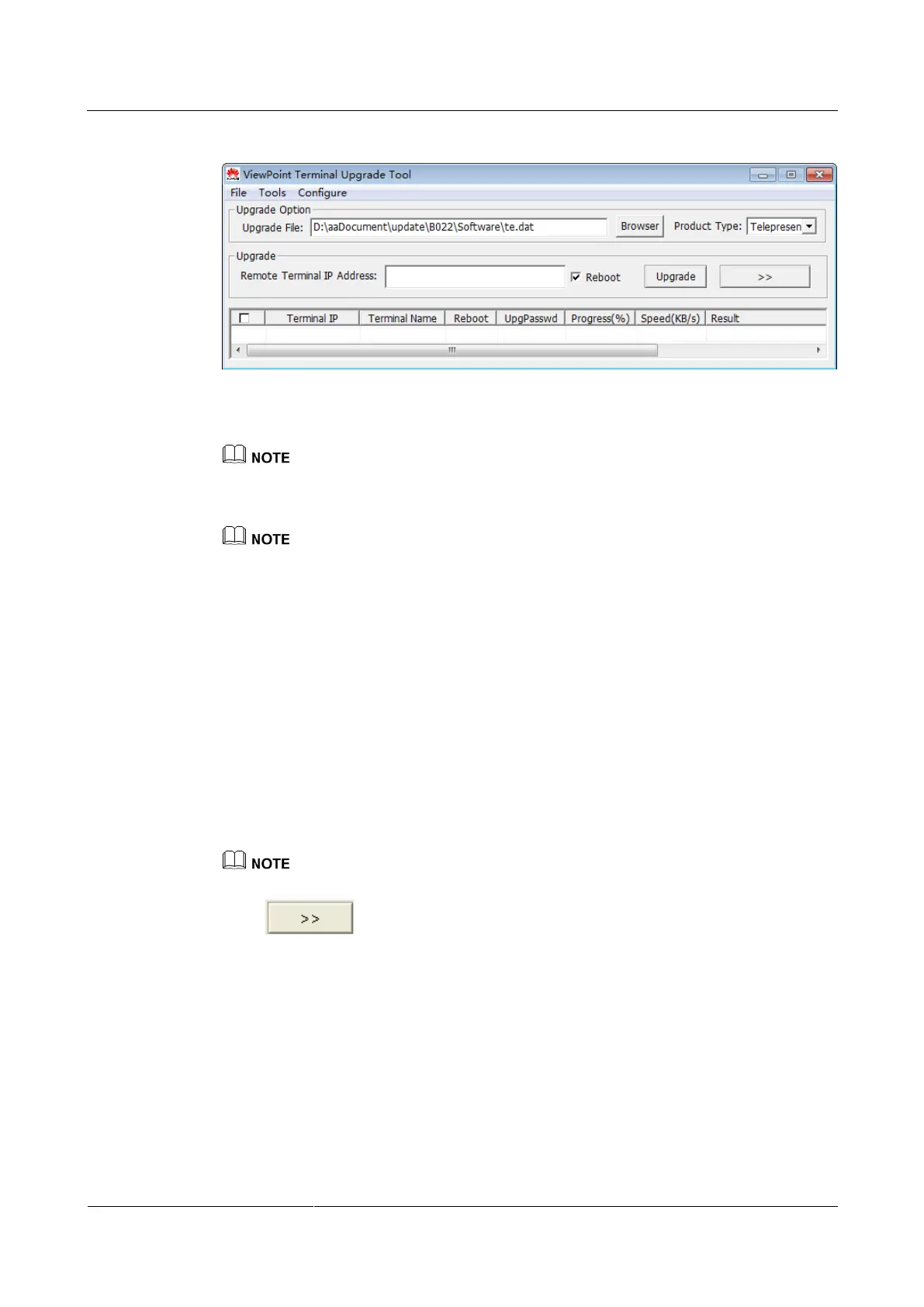
Figure 11-2 Upgrading a single endpoint
Step 4 (Optional) Click Browser and select the te.dat file.
By default, the path of the te.dat file is displayed in Upgrade File.
Step 5 In Remote Terminal IP Address, enter the endpoint IP address, such as 10.10.10.10.
If Reboot is selected, the endpoint automatically restarts after the upgrade.
Step 6 Click Upgrade.
Step 7 In the displayed dialog box, enter the upgrade password and click OK.
----End
Upgrading Multiple Endpoints in Batches
Step 1 Power on the computer and endpoint.
Step 2 Extract the compressed software upgrade package on the computer.
Step 3 Run UpgMaster.exe to display the window shown in Figure 11-1.
Step 4 (Optional) Click Browser and select the te.dat file.
By default, the path of the te.dat file is displayed in Upgrade File.
Step 5 Click shown in Figure 11-1 to display the window as shown in Figure 11-2.



 To Next Page