HUAWEI TE80 Videoconferencing Endpoint
Administrator Guide
Huawei Proprietary and Confidential
Copyright © Huawei Technologies Co., Ltd.
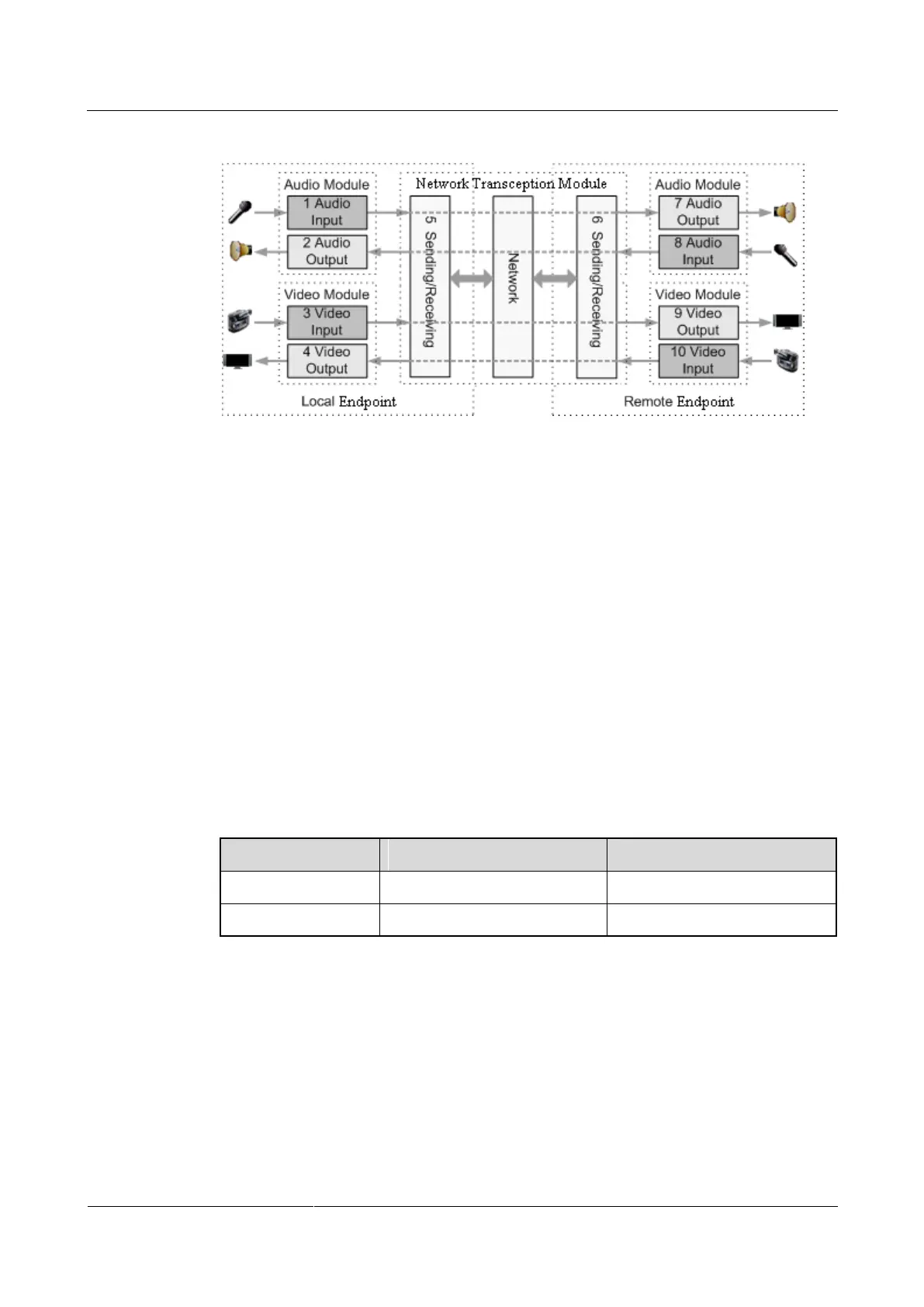
Figure 12-1 Diagnostics model
Figure 12-1 shows the diagnostics of three modules: audio module, video module, and
network transception module.
Audio signals are transmitted in the following signal path:
Local microphone → 1 → 5 → Communication network → 6 → 7 → Remote speaker
Local speaker ← 2 ← 5 ← Communication network ← 6 ← 8 ← Remote microphone
Video signals are transmitted in the following signal path:
Local camera → 3 → 5 → Communications network → 6 → 9 → Remote display
device
Local display device ← 4 ← 5 ← Communications network ← 6 ← 10 ← Remote
camera
Sound and Color Bar Tests
Table 12-1 describes sound and color bar tests.
Table 12-1 Sound and color bar tests
To perform a sound test, choose Sound & Color Bar Test > Sound Test. While the test
audio stored on your endpoint plays, check the sound quality.
To perform a color bar test, choose Sound & Color Bar Test > Color Bar Test. While
seven color bars are displayed on the display device, check the color display quality.
Loopback Tests
During a loopback test, your endpoint transmits audio or video data through a channel to
simulate actual working conditions and tests whether the output is satisfactory. You can



 To Next Page