HUAWEI TE80 Videoconferencing Endpoint
Administrator Guide
Huawei Proprietary and Confidential
Copyright © Huawei Technologies Co., Ltd.
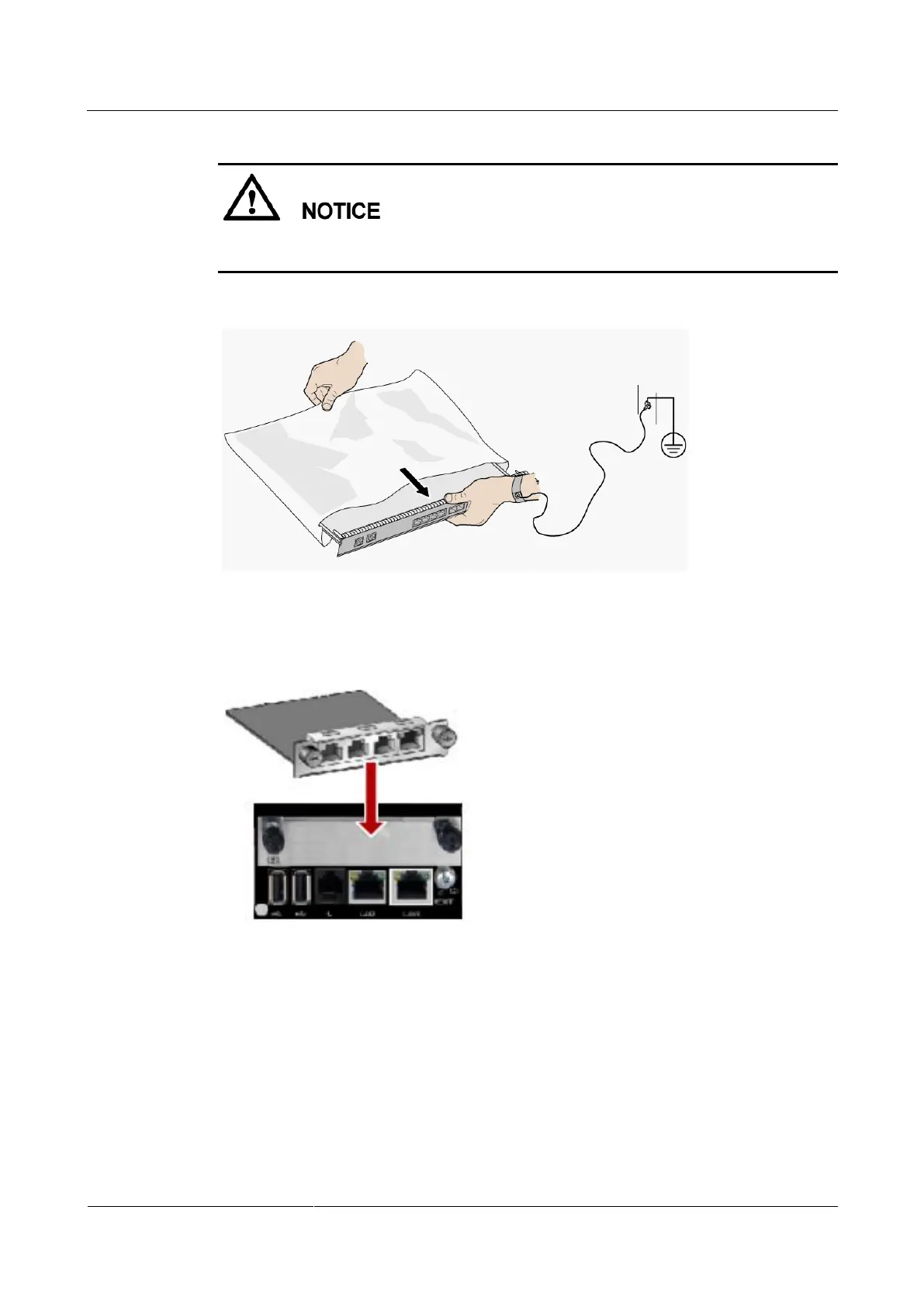
To avoid damage to the interface card, implement antistatic measures before touching the card,
such as wearing an ESD wrist strap, as shown in Figure 3-2.
Figure 3-2 Wearing an ESD wrist strap
Insert the interface card, as shown in Figure 3-3.
Figure 3-3 Inserting an interface card
Procedure
1. Loosen the two screws and remove the cover panel of the interface card slot.
2. Take out the interface card from its package. Slide the interface card into the card slot
while keeping the side with components facing upwards.
3. Fasten the screws on the interface card.



 To Next Page