TP482000B V300R002C03 Telecom Power
(TP482000B-N20B1, TP482000B-N20B2,
TP481200B-N20B1, and TP481200B-N20B2)
User Manual
Copyright © Huawei Technologies Co., Ltd.
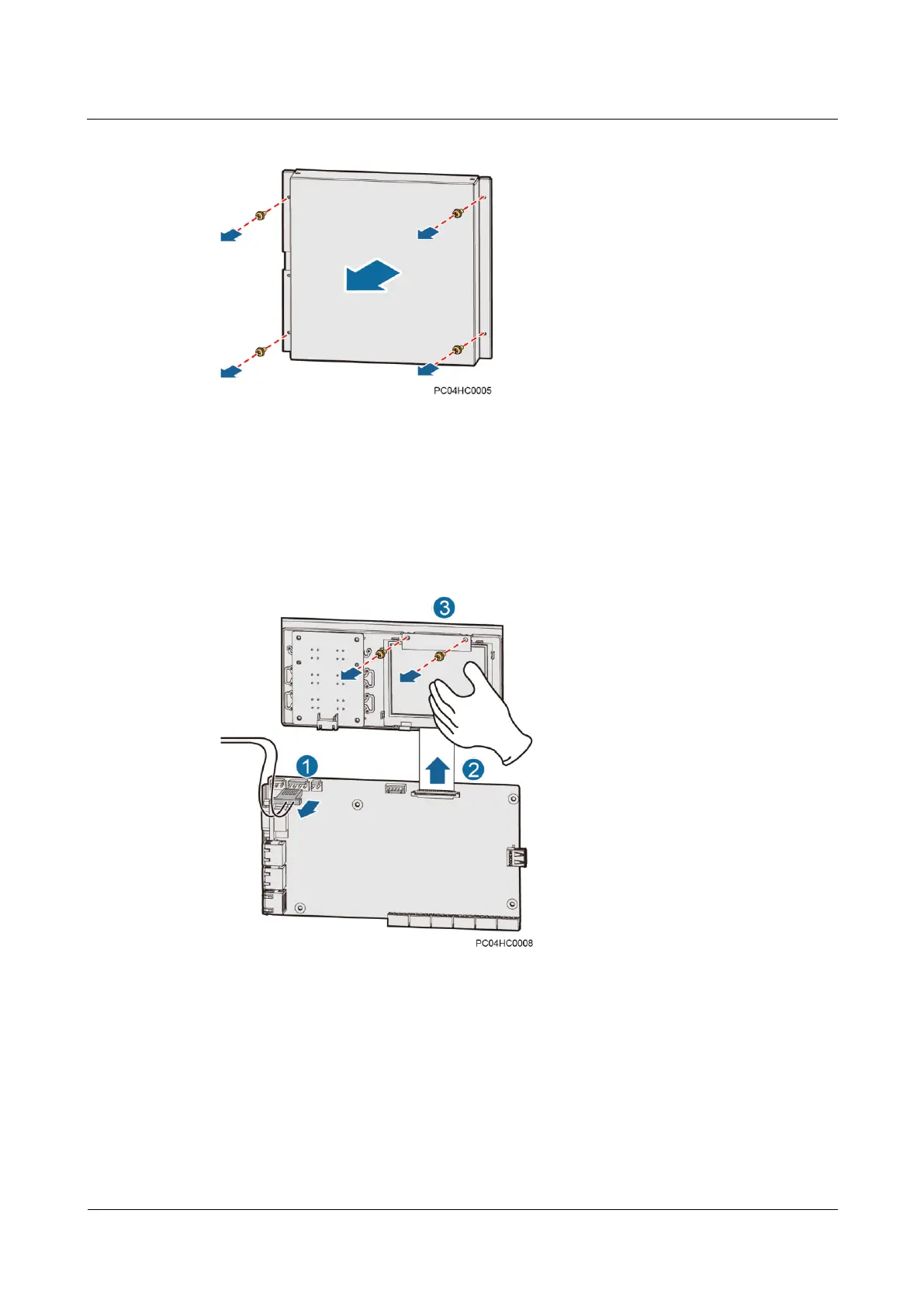
Figure 7-7 Removing the SMU cover
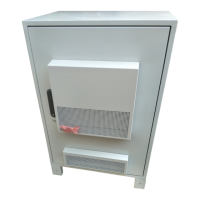
Step 4 Remove the LCD, as shown in Figure 7-8.
1. Disconnect the input power cable from the J12 port on the main control board.
2. Disconnect the LCD flat cable from the main control board.
3. Unscrew and remove the LCD.
Figure 7-8 Removing an LCD
Step 5 Install the new LCD, as shown in Figure 7-9.
1. Place the new LCD in position and tighten the screws.
2. Connect the LCD flat cable to the main control board.
3. Reconnect the power cable to the J12 port on the main control board.







 To Next Page