TP482000B V300R002C03 Telecom Power
(TP482000B-N20B1, TP482000B-N20B2,
TP481200B-N20B1, and TP481200B-N20B2)
User Manual
Copyright © Huawei Technologies Co., Ltd.
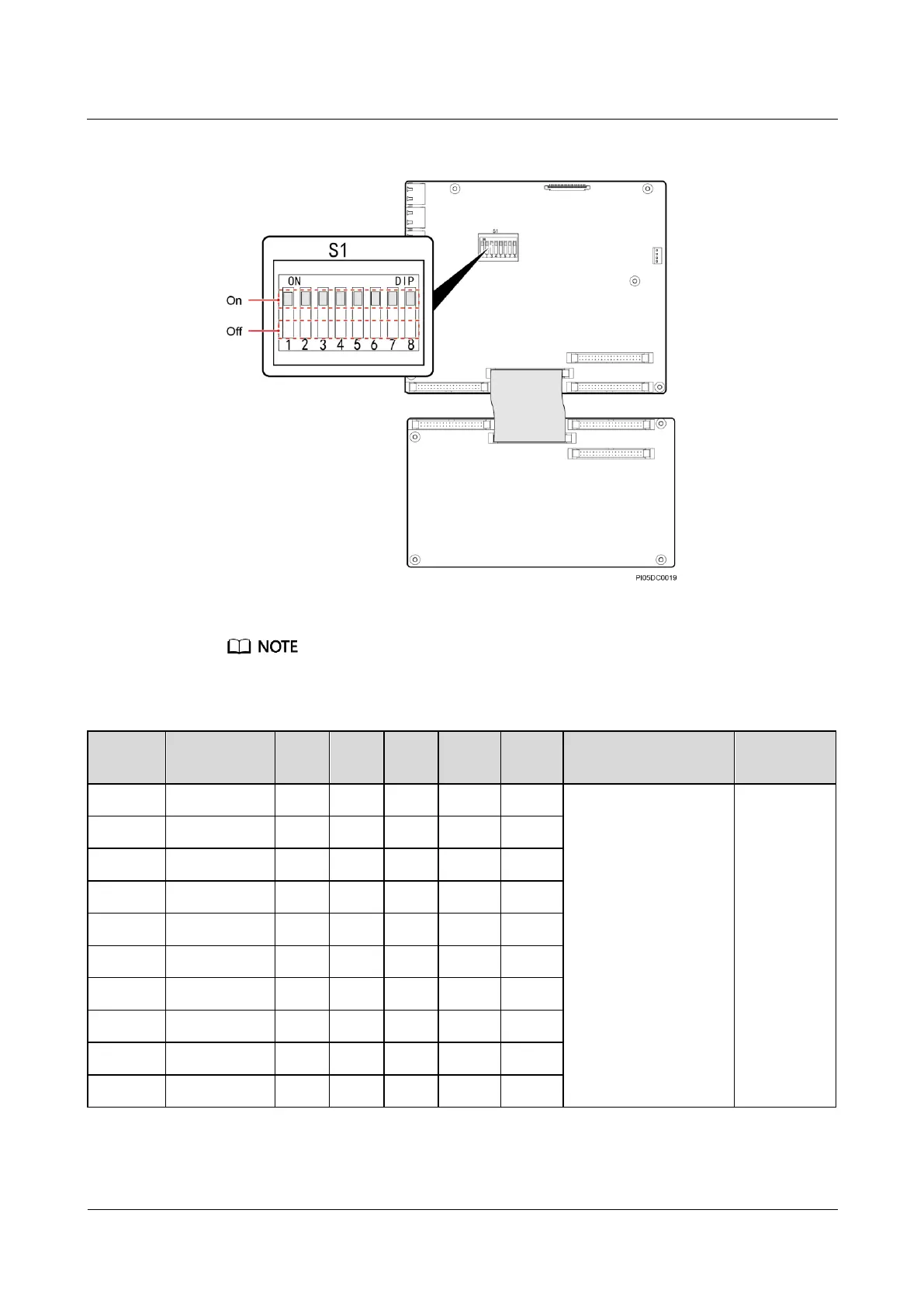
Figure 7-15 DIP switch S1
The DIP switch settings shown in Figure 7-15 are for reference only.
Table 7-3 Combined cabinet DIP switch settings
If an combined
cabinet is located at
either end of the
power system, there
is no need to operate
toggle switch 6.
If an combined
cabinet is in any
other position, set
toggle switch 6 to
Off.
Toggle
switches 7 to
8 are set
before
delivery, and
no further
action is
required.







 To Next Page