Huawei Proprietary and Confidential
Copyright © Huawei Technologies Co., Ltd.
R,*-*#+'E"D-'F,$2?'F*$?'E"D-'A?"#%'
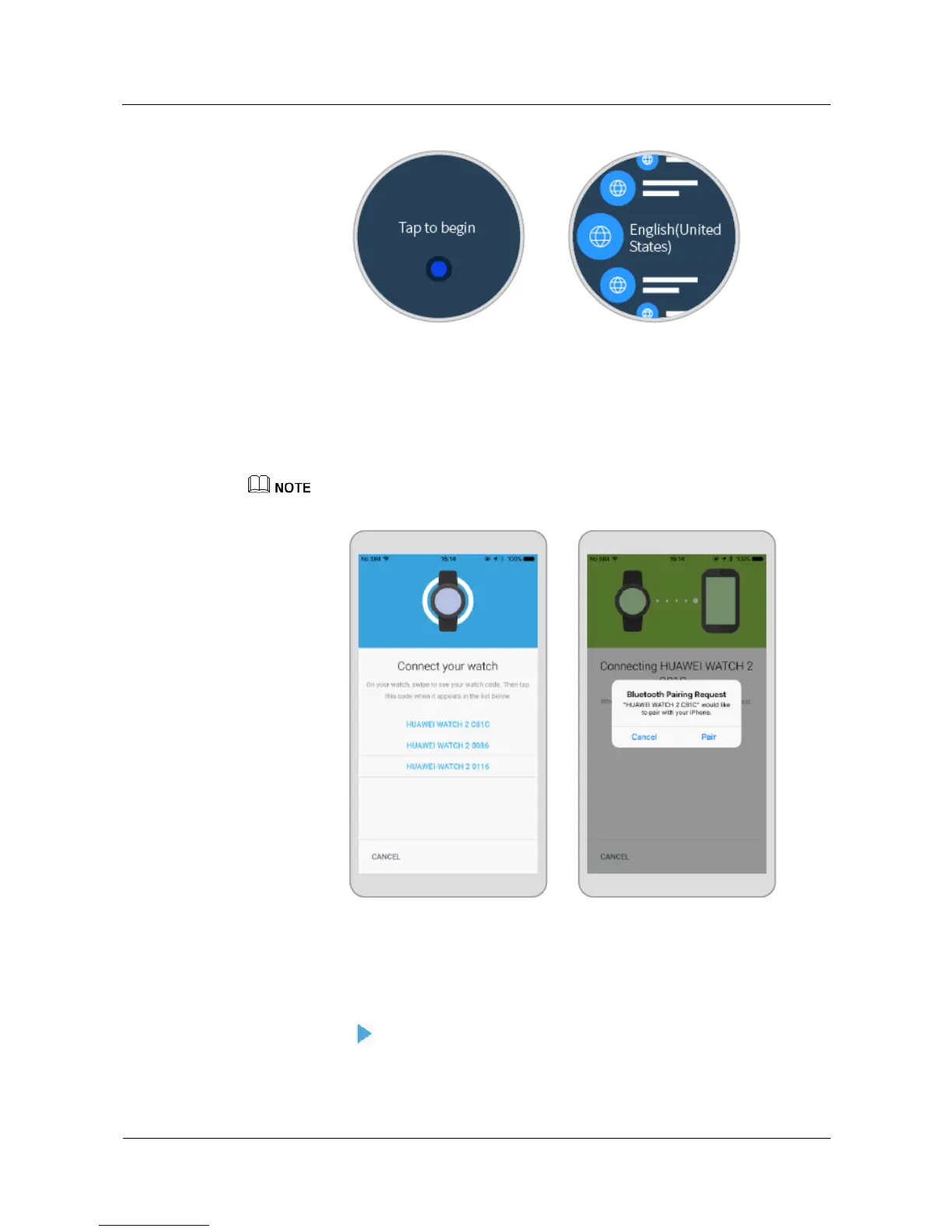
1. On your phone, enable Bluetooth. Open the Android Wear app and follow the onscreen
instructions.The available Bluetooth devices will be displayed on your phone.
Swipe the watch face to view your watch's name. Touch the matching watch name on
your phone, and then touch Pair .
'
If you do not find your watch on the list, touch I DON'T SEE MY DEVICE to try again.
2. Make sure the pairing code displayed on your phone is the same as the one shown on
your watch, and then touch CONFIRM.
"Checking for updates..." will be displayed on your watch once the pairing succeeds. The
checking may take some time.
On your phone:
í Touch at the bottom of the screen to view the app video.
í You can also touch Skip to skip the video and continue the set-up procedure.















 To Next Page