18
Icon Description
Android 6.0 and later
Only alarm notifications are displayed.
3.7 Shortcuts menu
Swipe up from the bottom of the home screen to open the shortcuts menu and set the desired
features.
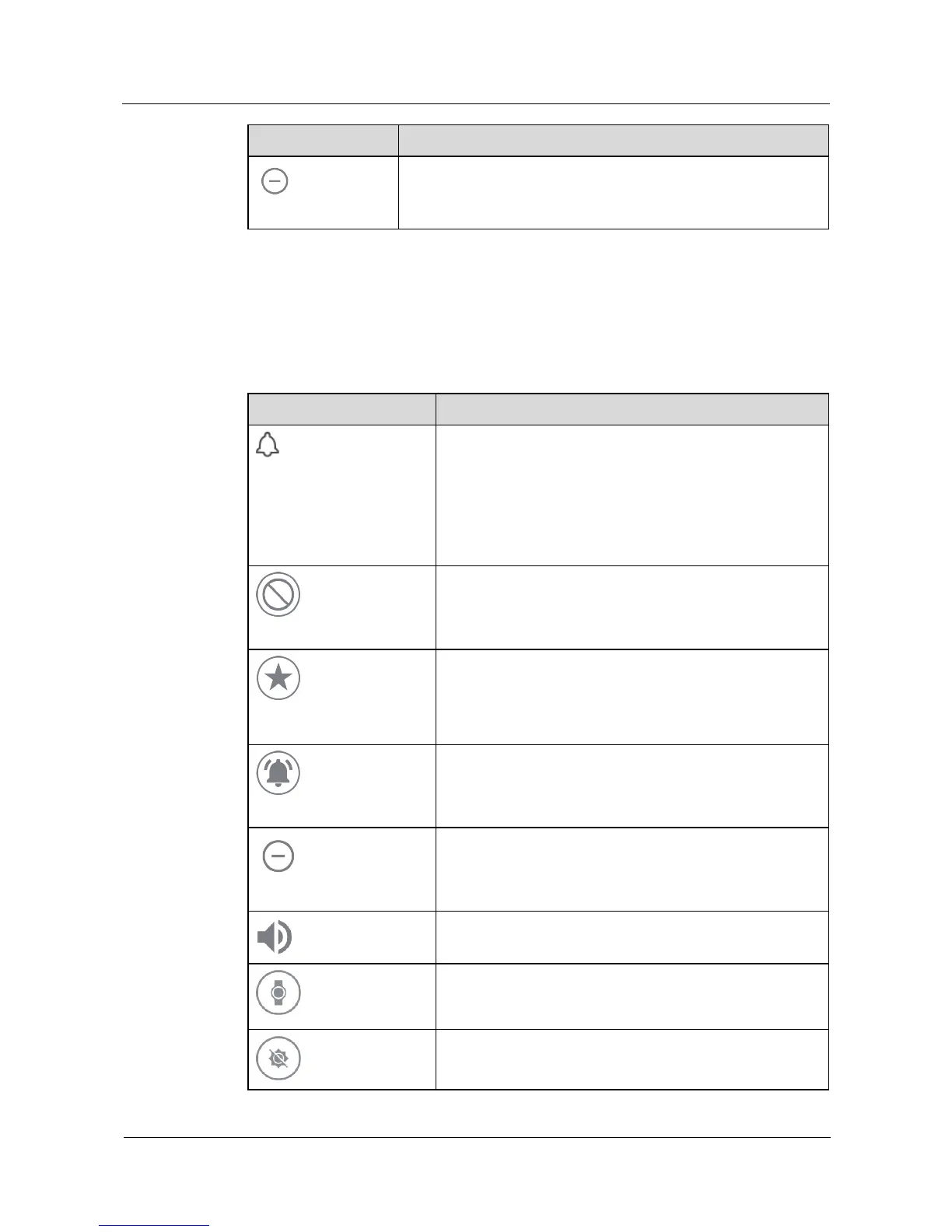
Icon Description
Mute
iOS and Android 4.x
Incoming calls and notifications on your phone are muted
when your watch is connected to your phone.
NOTE
If you have set an alarm, the alarm icon will be displayed on the
mute screen and then disappear after a few seconds.
On the mute screen, you can still check the battery level and
date.
None
Android 5.x
No notifications are displayed.
Priority
Android 5.x
Alarm notifications are displayed.
Notifications for events, SMS messages, and incoming calls
can be set.
Other types of notifications are not displayed.
All
Android 5.x
All notifications are displayed.
Do not disturb
Android 6.0 and later
Only alarm notifications are displayed.
Sound
Notification sound can be enabled or disabled.
Theater mode
Once enabled, your watch screen stays off even when you
raise or tilt your wrist, or touch the screen. The screen will
not turn on for incoming calls or notifications.
Brightness boost
Screen brightness can be quickly adjusted to the brightest.















 To Next Page