16
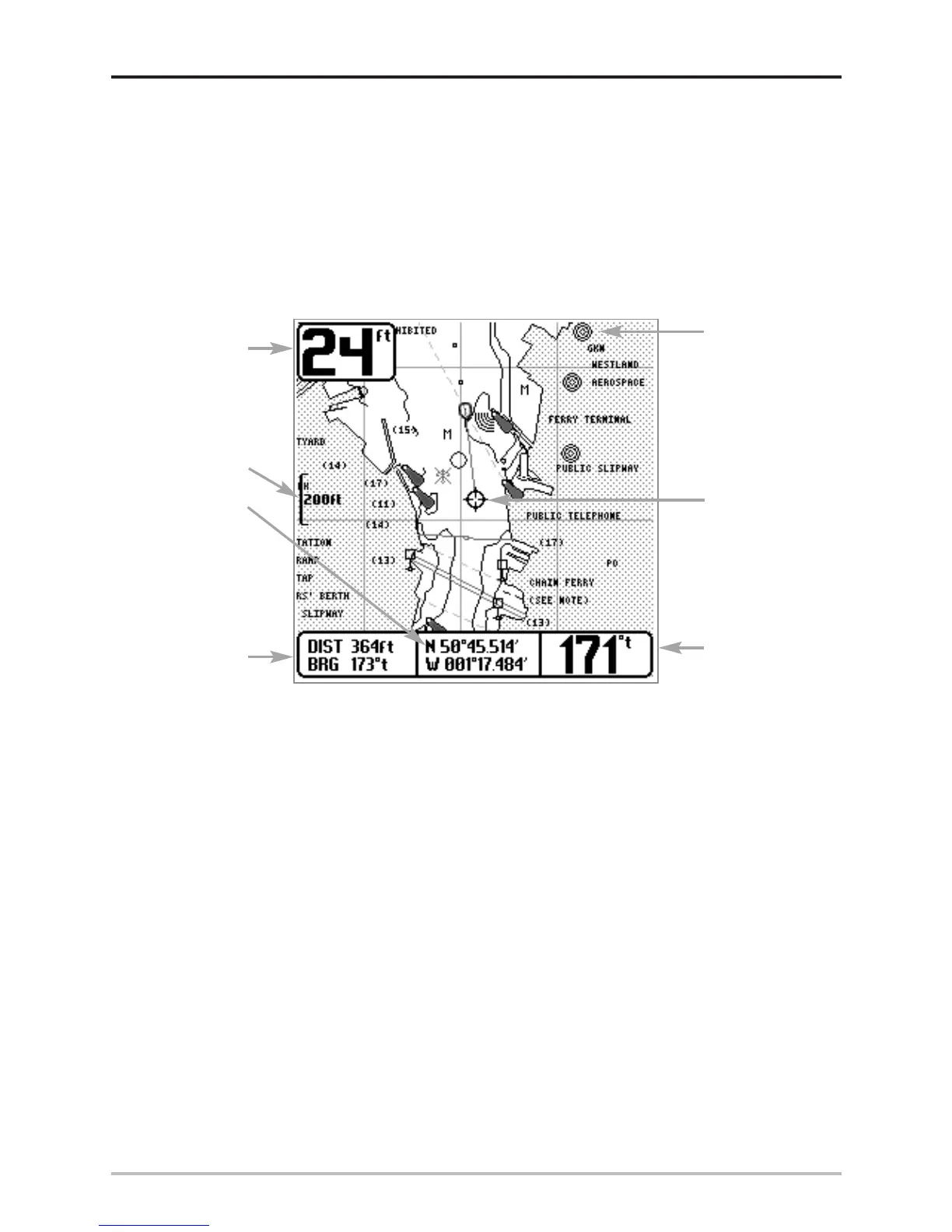
Chart View
Chart View - This view shows cartography from the built-in UniMap or an optional MMC map for the
area surrounding your current position. The current track (also known as the position history or
breadcrumb trail) showing where the boat has been, along with saved tracks, waypoints, and the
current route (when navigating), are overlaid on the chart. You can use the 4-WAY Cursor Control key
to shift/pan the chart to another area. You can use the ZOOM (+/-) keys to zoom in and out. You can
use the INFO key to get information on the chart objects near the cursor.
Chart View with Active Cursor
Depth
Cartography
Latitude and
Longitude
Position of
Cursor
Bearing of Boat
with Respect to
True North
Distance to
the Cursor
and Bearing
to Cursor
Map Scale
Active Cursor












 To Next Page