34
Sonar X-Press
TM
Menu
(Sonar Views Only)
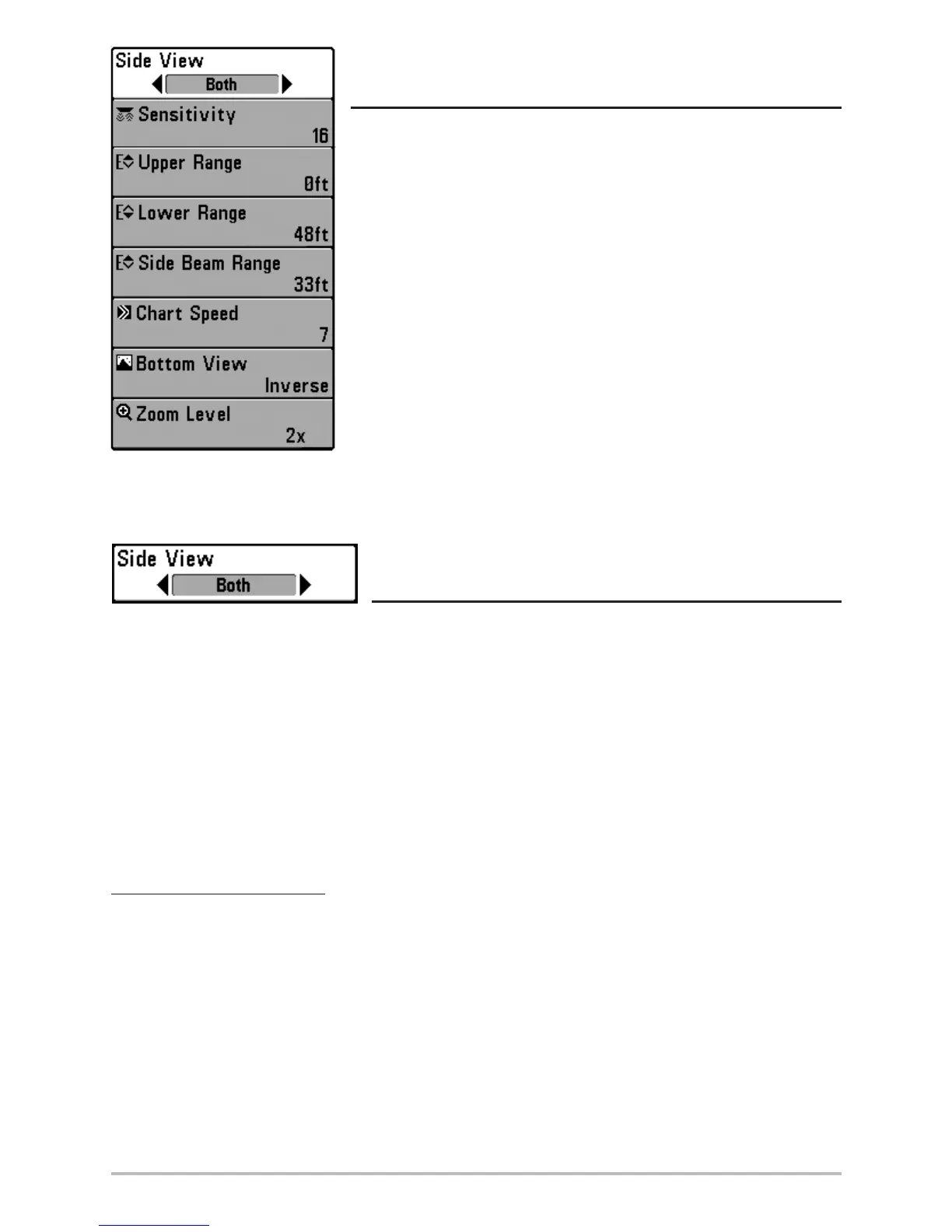
The Sonar X-Press
TM
menu provides access to the settings most
frequently-used. Press the MENU key once while in any of the Sonar
Views to access the Sonar X-Press
TM
menu.
NOTE: Menu choices will vary depending on system settings such as
whether the unit is set for Advanced User mode or what transducer is
currently selected.
WideSide View
(WideSide Transducer: WideSide View Only)
WideSide View sets which transducer beam from the WideSide Transducer is shown in the
WideSide View. A WideSide transducer must be connected to the Matrix Fishing System. The
WideSide View menu choice is available when Transducer Select is set to WideSide (see Sonar
Menu Tab: Transducer Select) and can only be accessed from the Sonar X-Press
TM
menu when you
are in WideSide view.
NOTE: The WideSide View requires the purchase of the WideSide transducer. You can visit our website
at www.humminbird.com to order this accessory online or contact our Customer Resource Center at
1-334-687-0503.
To adjust the WideSide View:
1. Make sure you are in WideSide Transducer Mode and that a WideSide transducer is
connected, then highlight WideSide View on the Sonar X-Press
TM
menu.
2. Use the LEFT or RIGHT 4-WAY Cursor Control keys to change the WideSide View setting.
(L [Left], Both, R [Right], Default = Both)
Sonar X-Press
TM
Menu












 To Next Page